A Complete Guide to AI9app.io, the All-in-One AI Creative Tool: From Video and Storyboards to the Resource Marketplace, the Platform Every Asian Creator Should Know
If you've ever done content creation, you probably share the same frustration: opening one tool for image generation, switching to another website for video, and having voiceovers, editing, finding templates, and buying assets scattered across a dozen different accounts. AI9app.io aims to solve this exact problem by consolidating the entire creative workflow into a single platform. Furthermore, the entire site supports a bilingual interface in both Traditional Chinese and English, making it exceptionally friendly for creators in the Chinese-speaking world, Hong Kong, Taiwan, and the broader Asian market. Compared to other AI tool platforms that require a monthly subscription fee, AI9's AI generation tools use a credit-based system, meaning no subscription is required and it offers great flexibility. For personal and enterprise users in Hong Kong and Taiwan, payment and expense reporting are much more intuitive.
Official Website: https://ai9app.io/
In this column, I will walk you through the core features of AI9app.io. We will focus on tool usage, AI Storyboard, Seedance 2.0, earning credits in the Resource Marketplace, and why it's highly suitable for creating Asian-style content and advertisements.
One Platform, A Complete Suite of AI Creative Tools
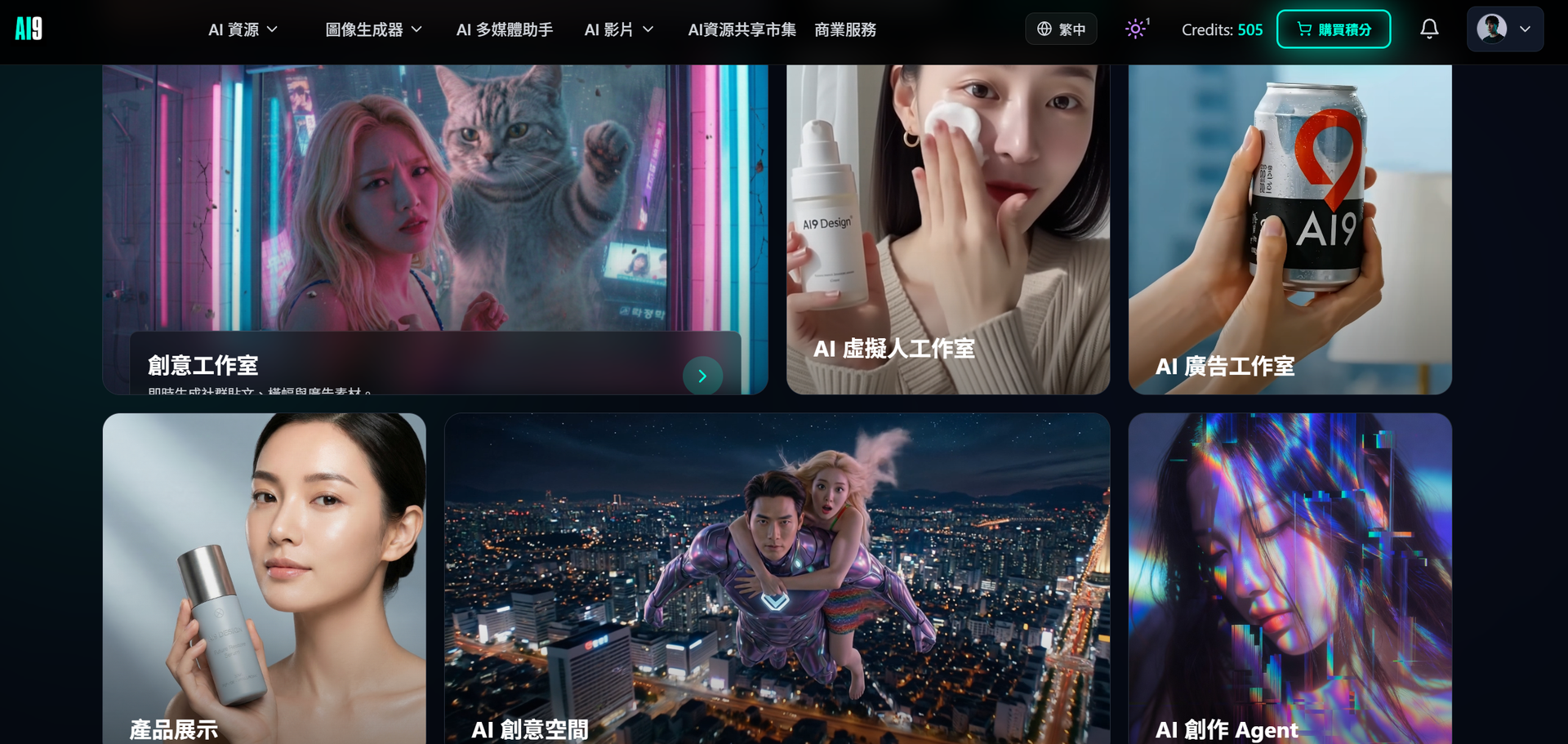
AI9app.io isn't just a single-function gadget; it's a complete production line. On the video front alone, it covers various modes like text-to-video, image-to-video, first/last frame control, and motion control. For images, it features AI image generation, a 3D angle editor, a 9-grid multi-view layout, and 3D multi-view image editing.
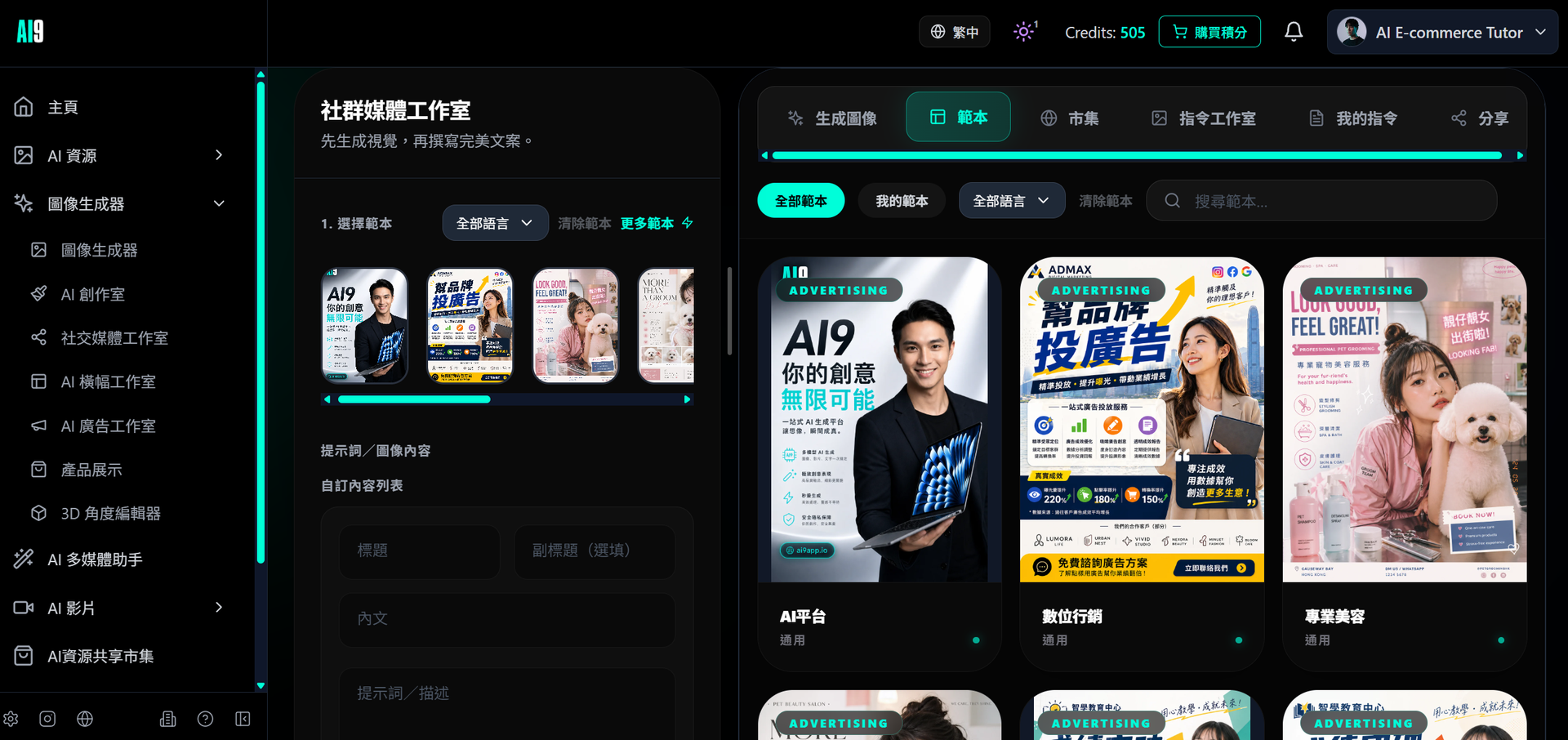
The AI9 platform provides a massive library of assets, social media, and advertising templates. By simply selecting reference images, you can generate a variety of different pictures.
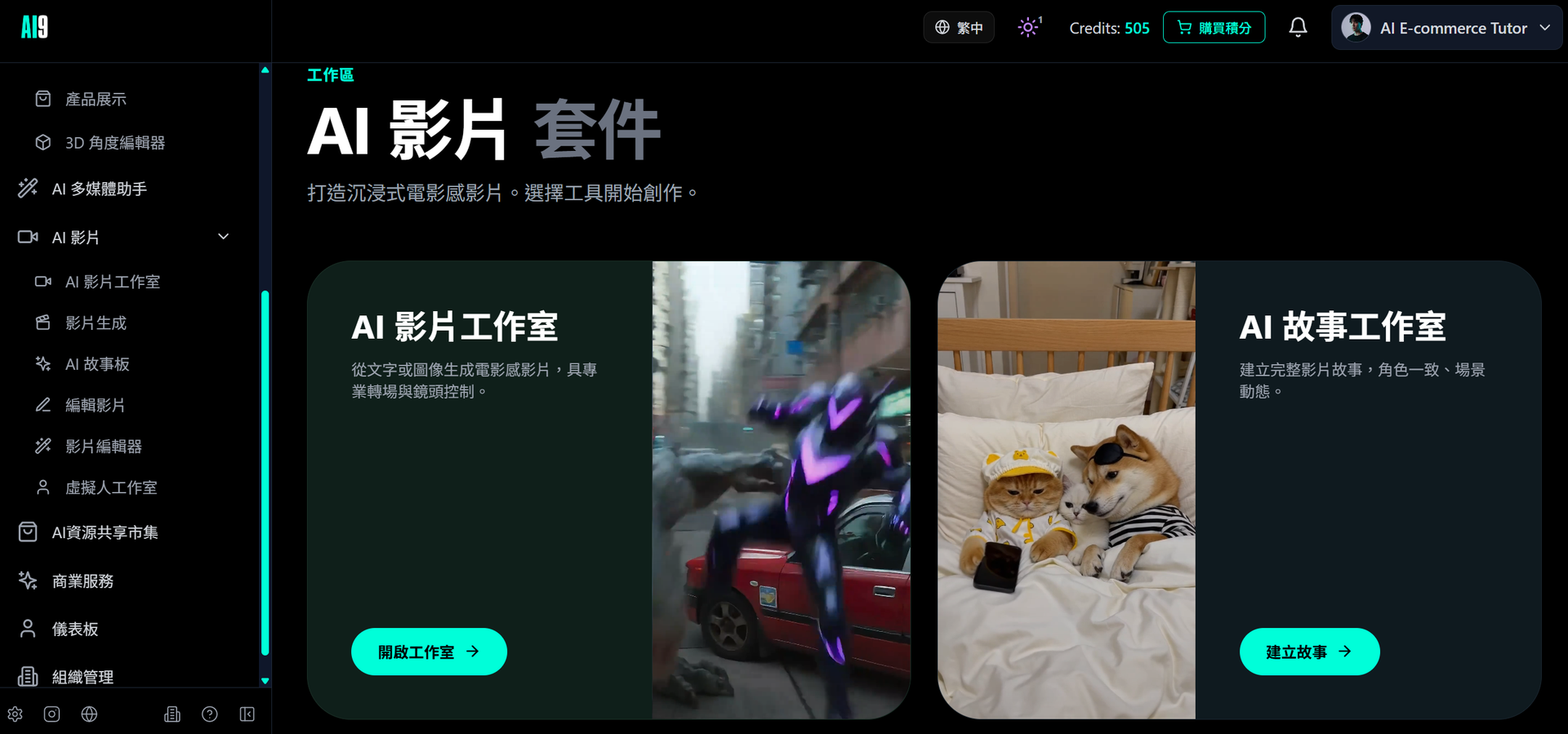
Videos also come with different templates. Whether you are producing virtual humans, AI commercial videos, or AI creative videos, you can generate popular, high-quality videos just by selecting a template and modifying the references.
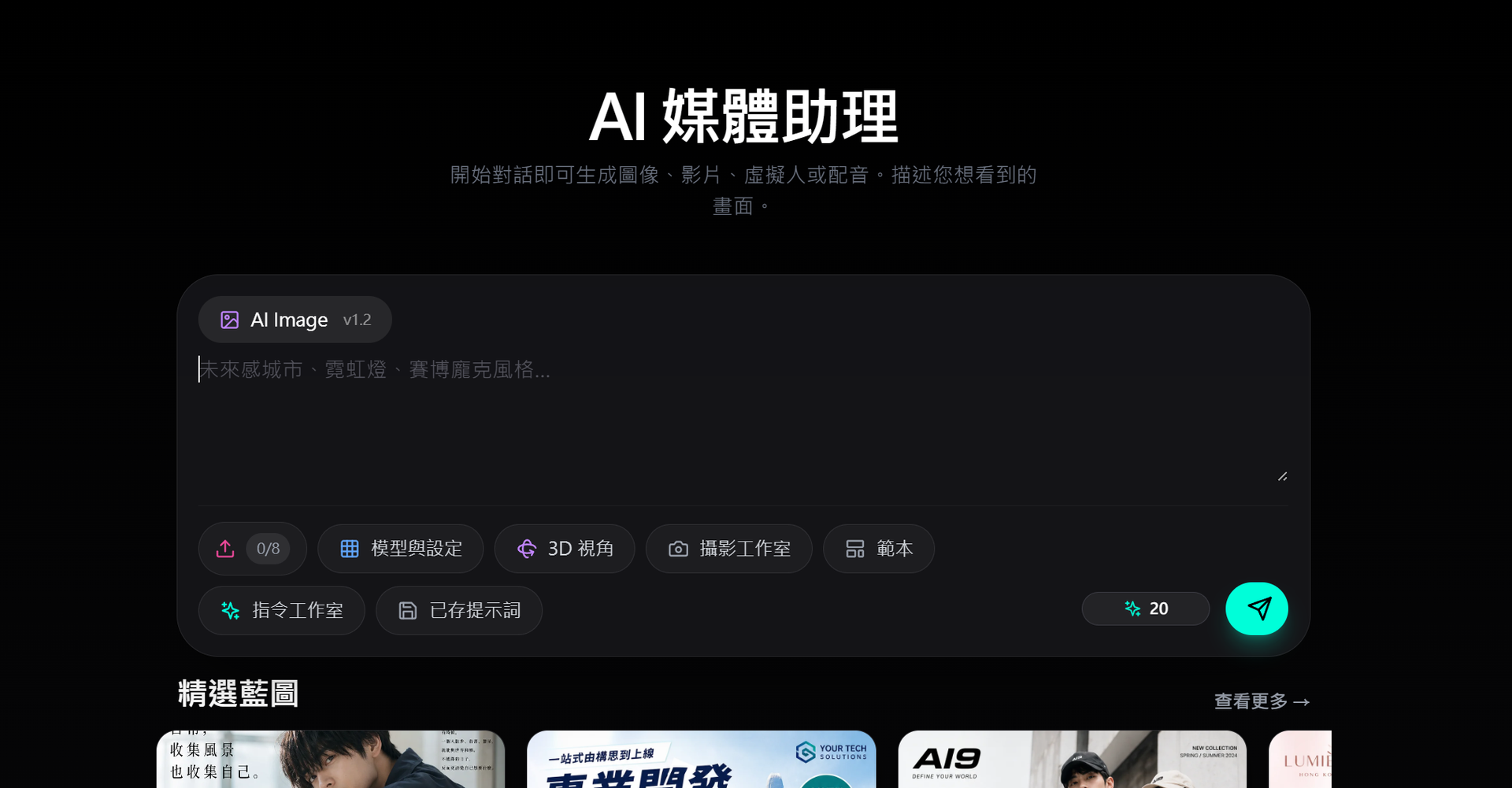
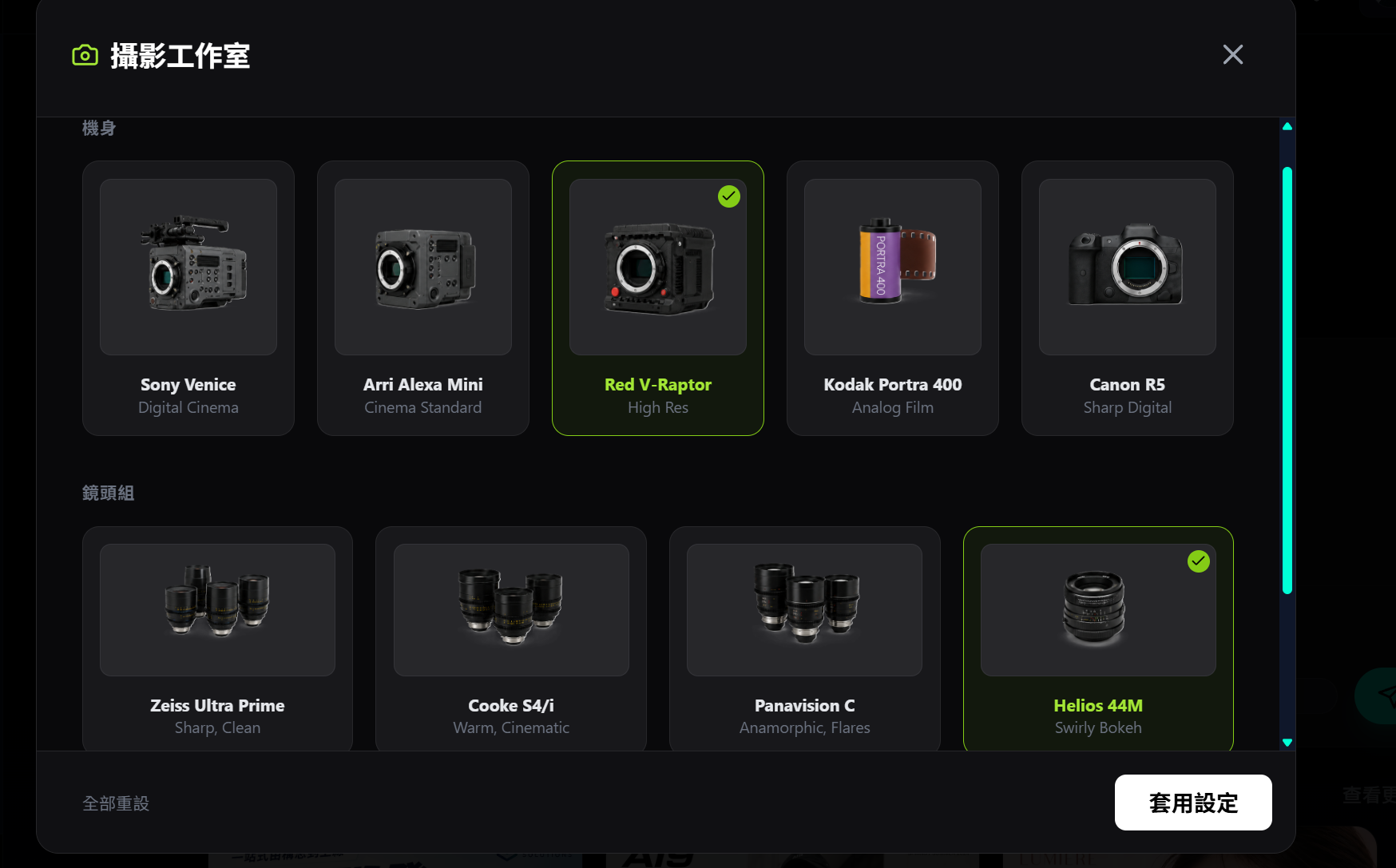
It's worth mentioning the AI Media Agent. It consolidates four capabilities—image generation, video generation, avatar generation, and voice generation—into a single chat-based interface. You can switch modes like you're talking to an assistant without jumping between pages. The built-in Photo Studio also prepares real camera and lens presets like Sony Venice and Arri Alexa, making your prompts closer to professional photography language.
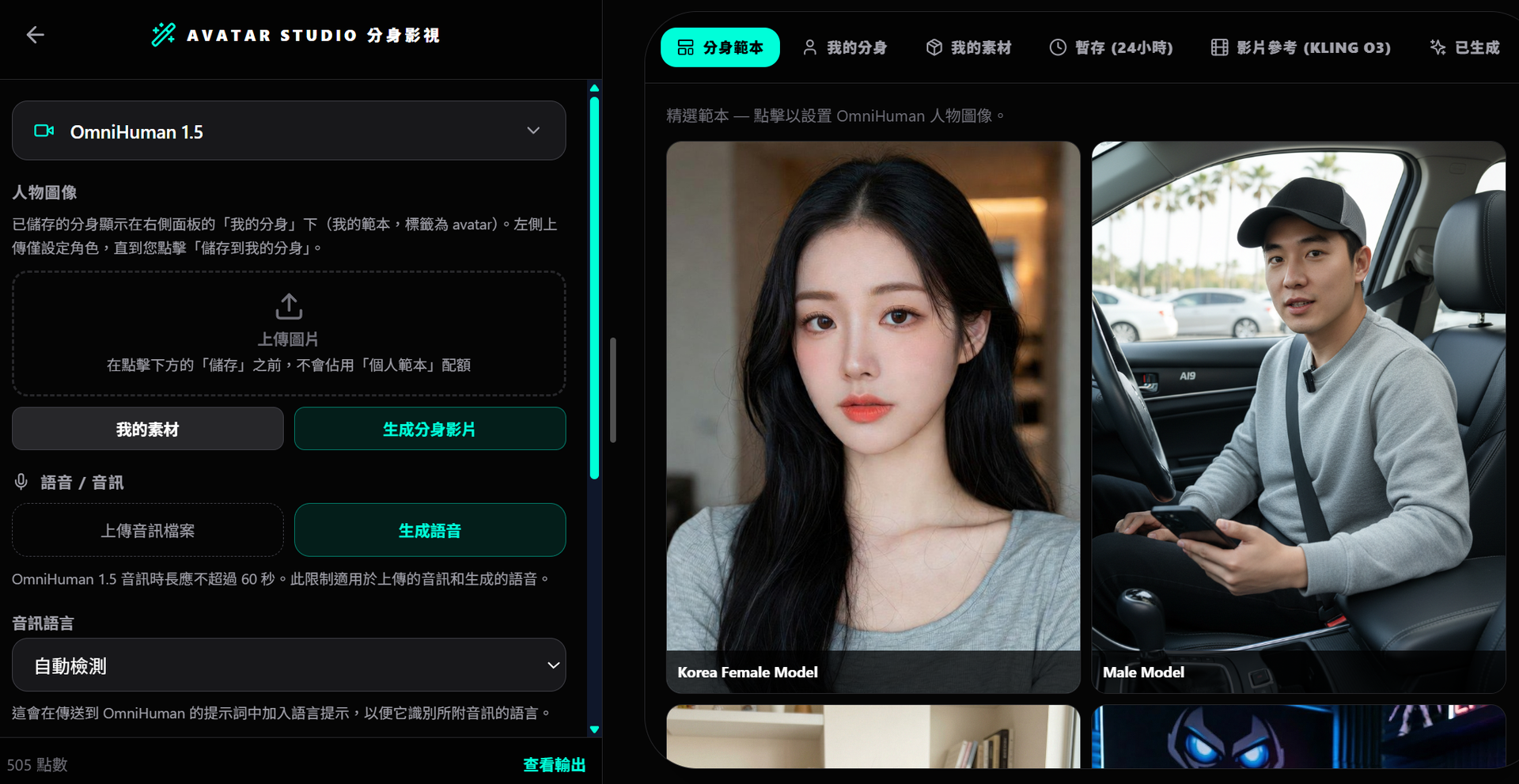
If you need a real-person presentation, you can use Avatar Studio. Upload a portrait, select a voice, type out a script, and you can produce a lip-synced digital avatar video—it even supports Cantonese voiceovers.
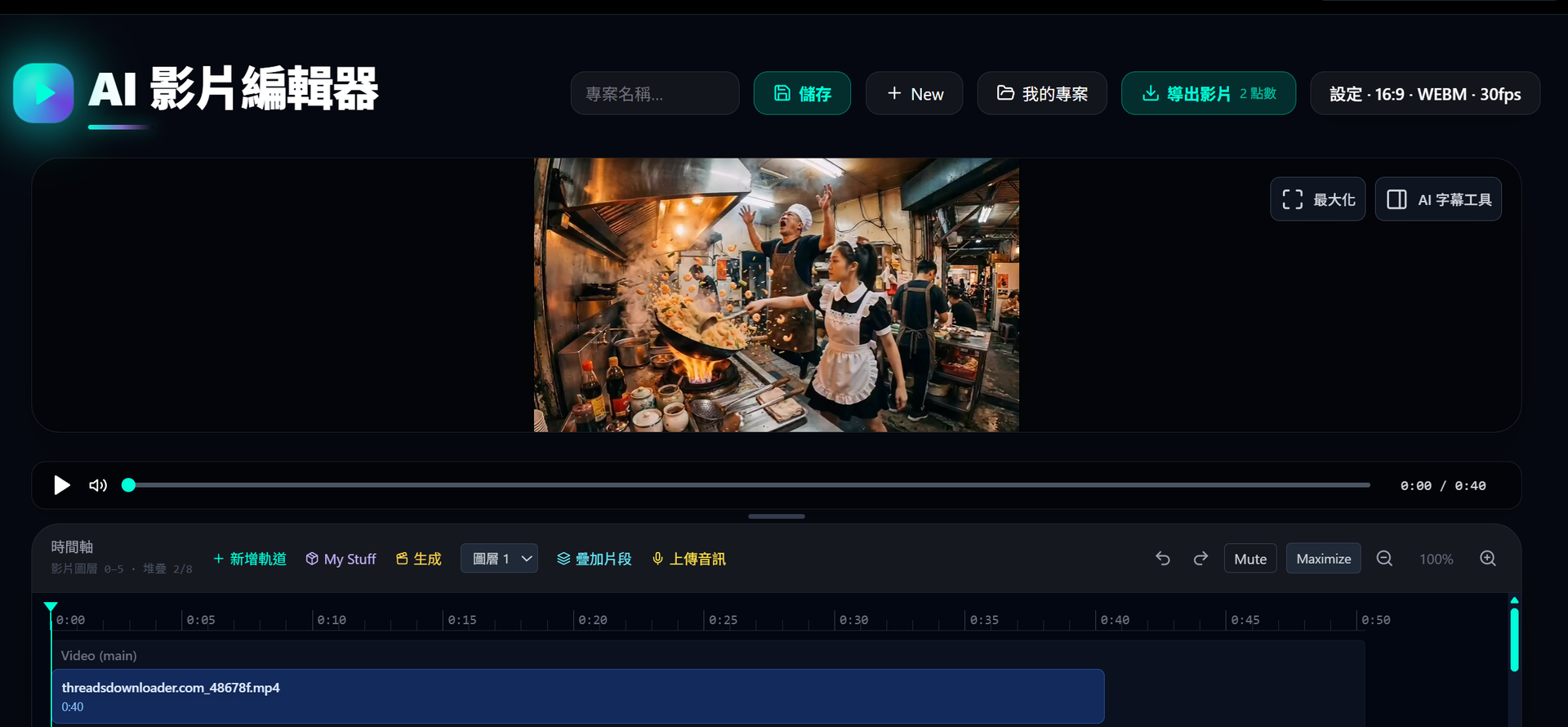
If you want to further process your finished product, the platform also features a timeline-based Video Editor. It supports stacking up to 6 video tracks, 1 audio track, and a subtitle track. You can crop, import assets, and export to MP4. This section is purely an editing tool, kept separate from the AI generation, keeping the logic very clear.
The remaining features—such as the Social Media Studio, Banner Design, Ad Studio, AI Outfit and Virtual Try-on, Poster & Greeting Card Creation, Product Display, Old Photo Restoration, and 3D Effects—add up to nearly twenty specialized tools. Basically, any content format you encounter daily has a corresponding entry point here.
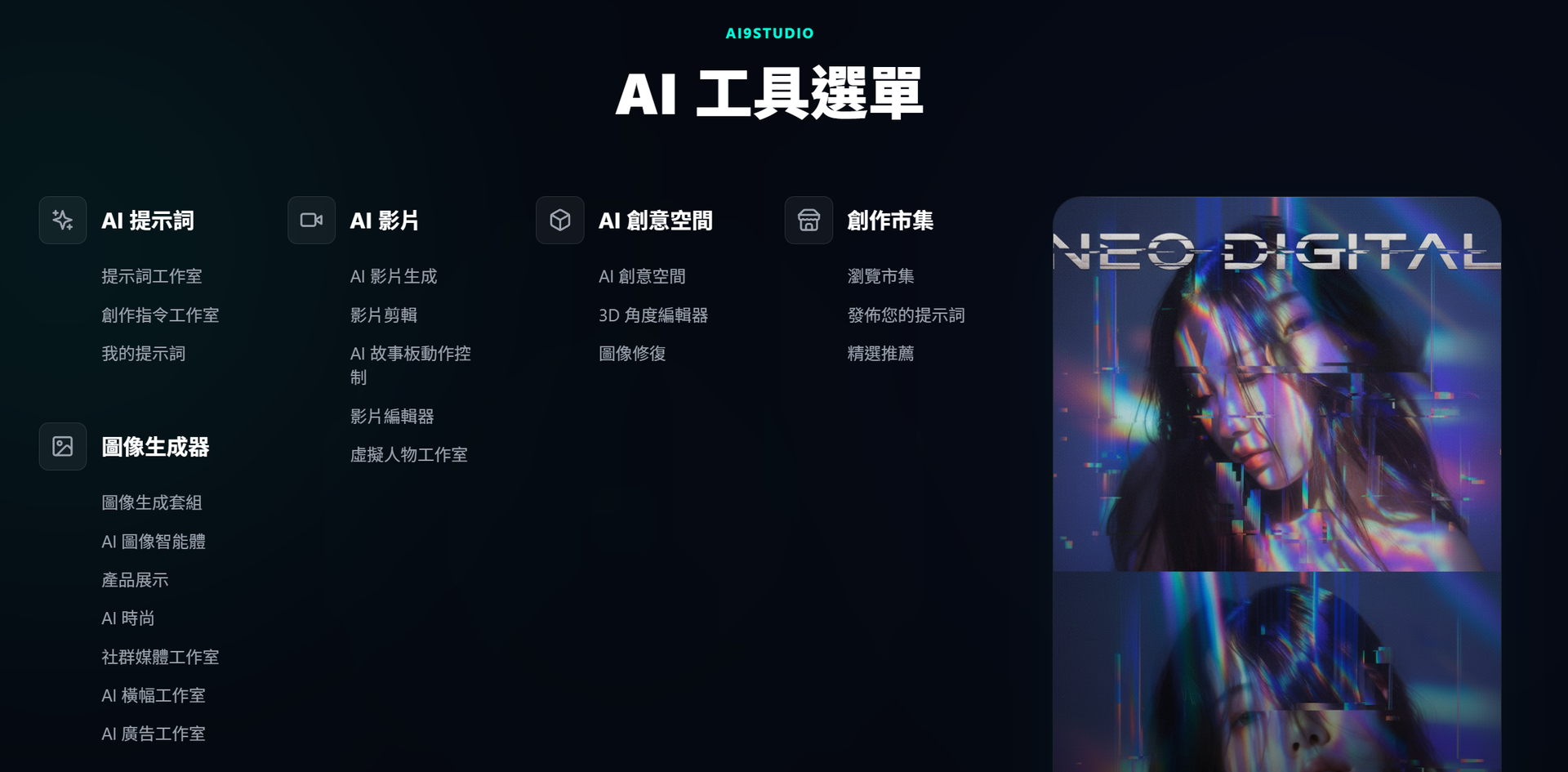
AI Storyboard: Giving Your Story a Proper Beginning and End
Many people struggle with AI videos because the "shots don't connect" and characters lose consistency when the camera angles change. AI9's AI Story Studio / Storyboard is designed specifically to address this. You just describe the whole story, and it automatically breaks it down into multiple shots. Each shot independently generates images and video clips, allowing you to adjust and sequence them one by one before finally merging and exporting them as a complete video.
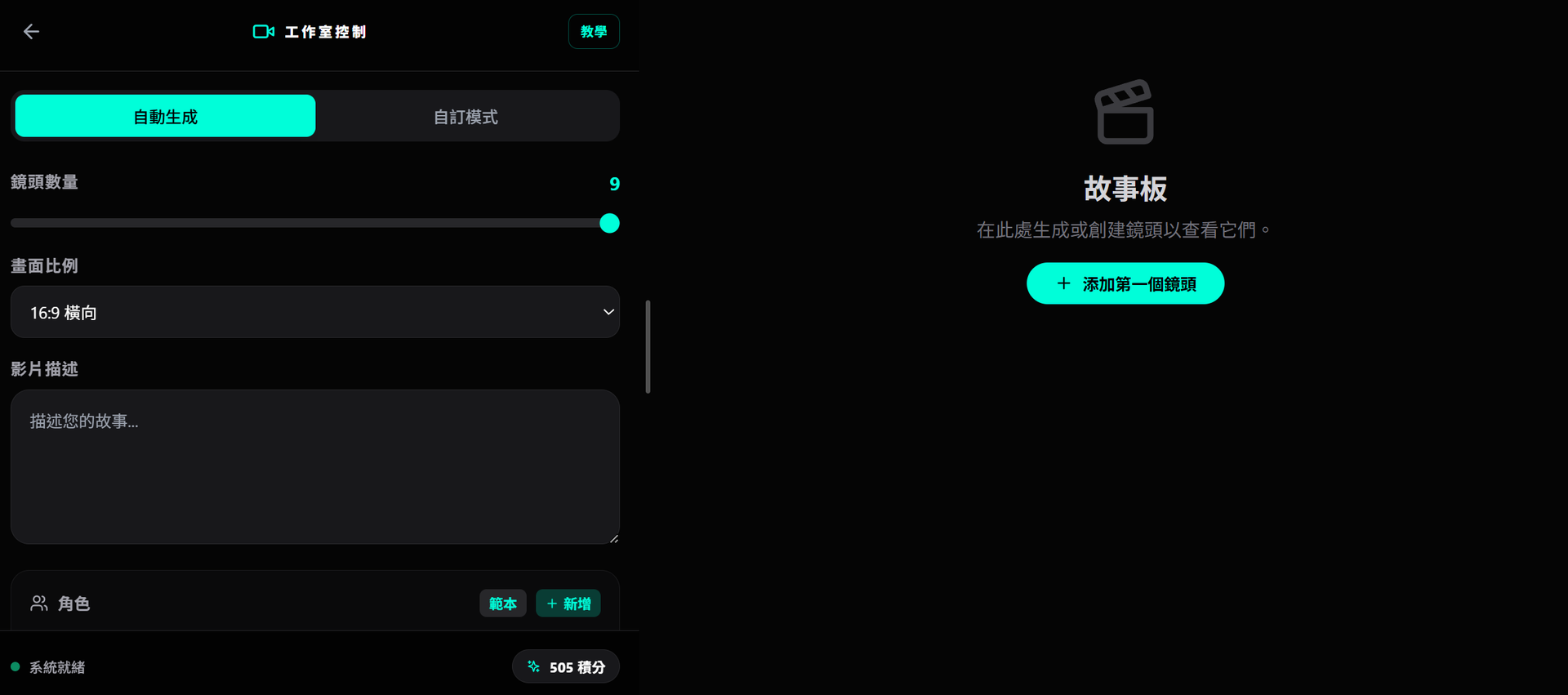
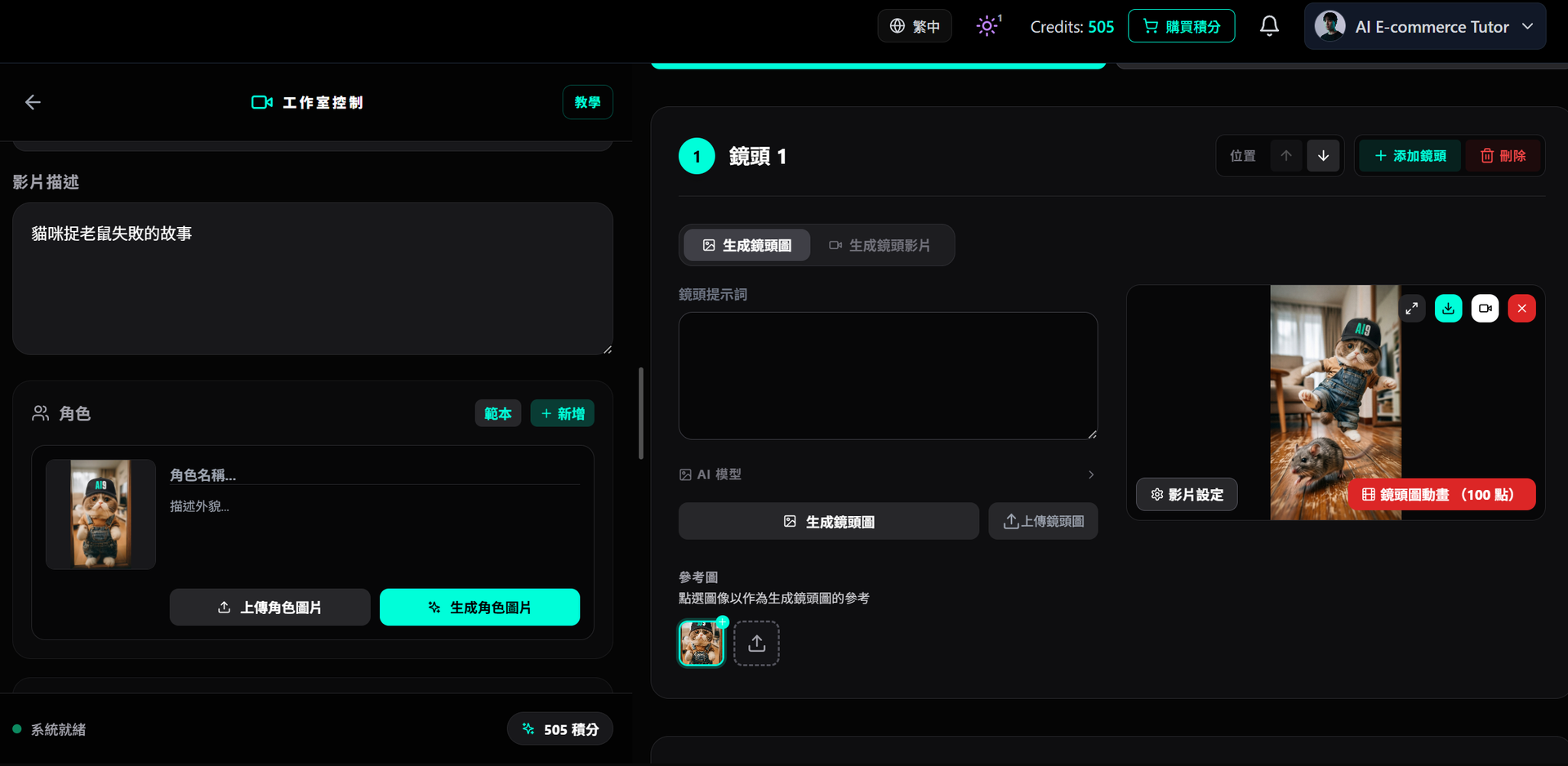
(Automatically breaks down into multiple shots)
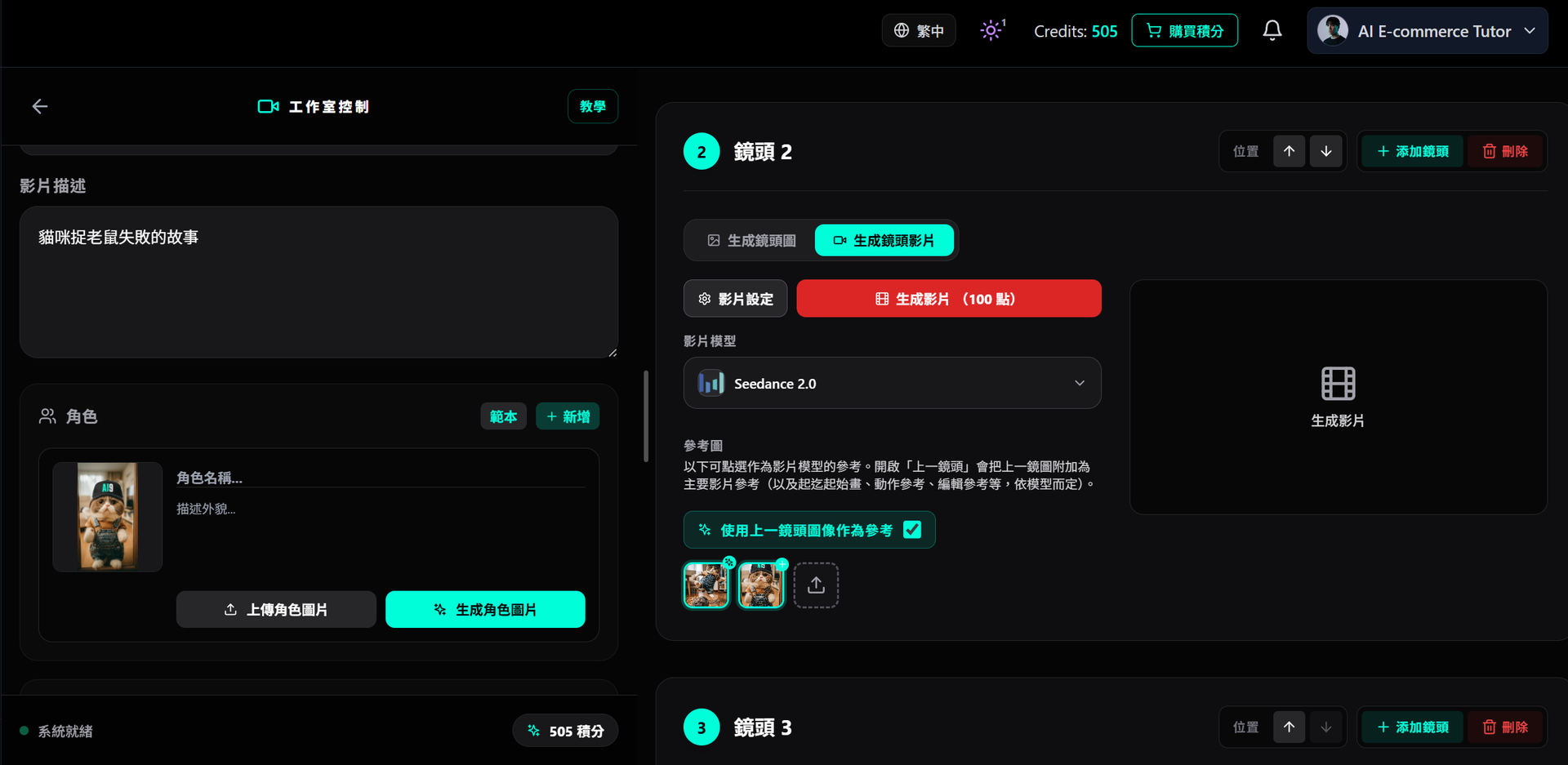
It has two highly practical design features worth remembering: Consistency of characters and scenes: You can establish character, scene, and style references and repeatedly apply them to every shot.
The "Use Previous Shot" Option: When enabled, the frame generated from the previous shot automatically becomes the reference image for the next one (the main reference for standard videos, the starting frame for first/last frame mode, or the motion reference for motion control). This drastically improves visual continuity. For creators aiming to shoot short dramas, product stories, or commercial scripts, this is almost like bringing a director's storyboard directly into your browser.
Seedance 2.0 and Multi-Model Support
Regarding video models, AI9 has integrated several top-tier engines: BytePlus's Seedance 2.0 Pro, Kling, and Google's Veo, among other trending models. You can choose the most suitable model based on your needs for text-to-video or image-to-video generation.
Let's specifically talk about Seedance 2.0. One of its major advancements is that as long as you've attached reference assets, you are no longer forced to select a template first. Moreover, it can simultaneously accept reference images, reference videos, and reference audio.
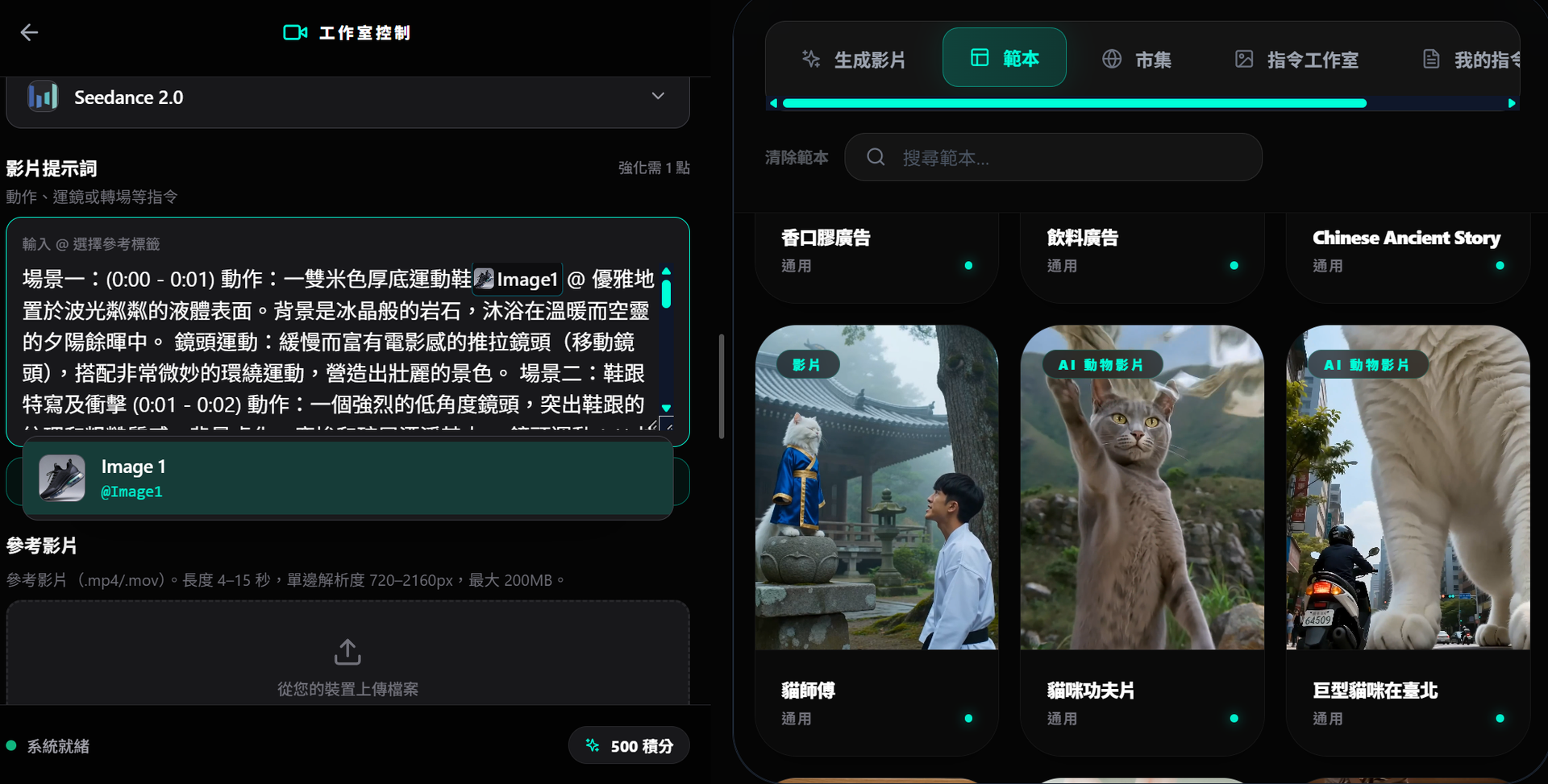
The trick to writing Seedance prompts is to clearly articulate camera movements, subject actions, and lighting atmosphere, and then use the @ symbol to tag reference assets (e.g., @Video1, @Image1). When connecting shots, you can use commands like "continue from the end of @Video1."
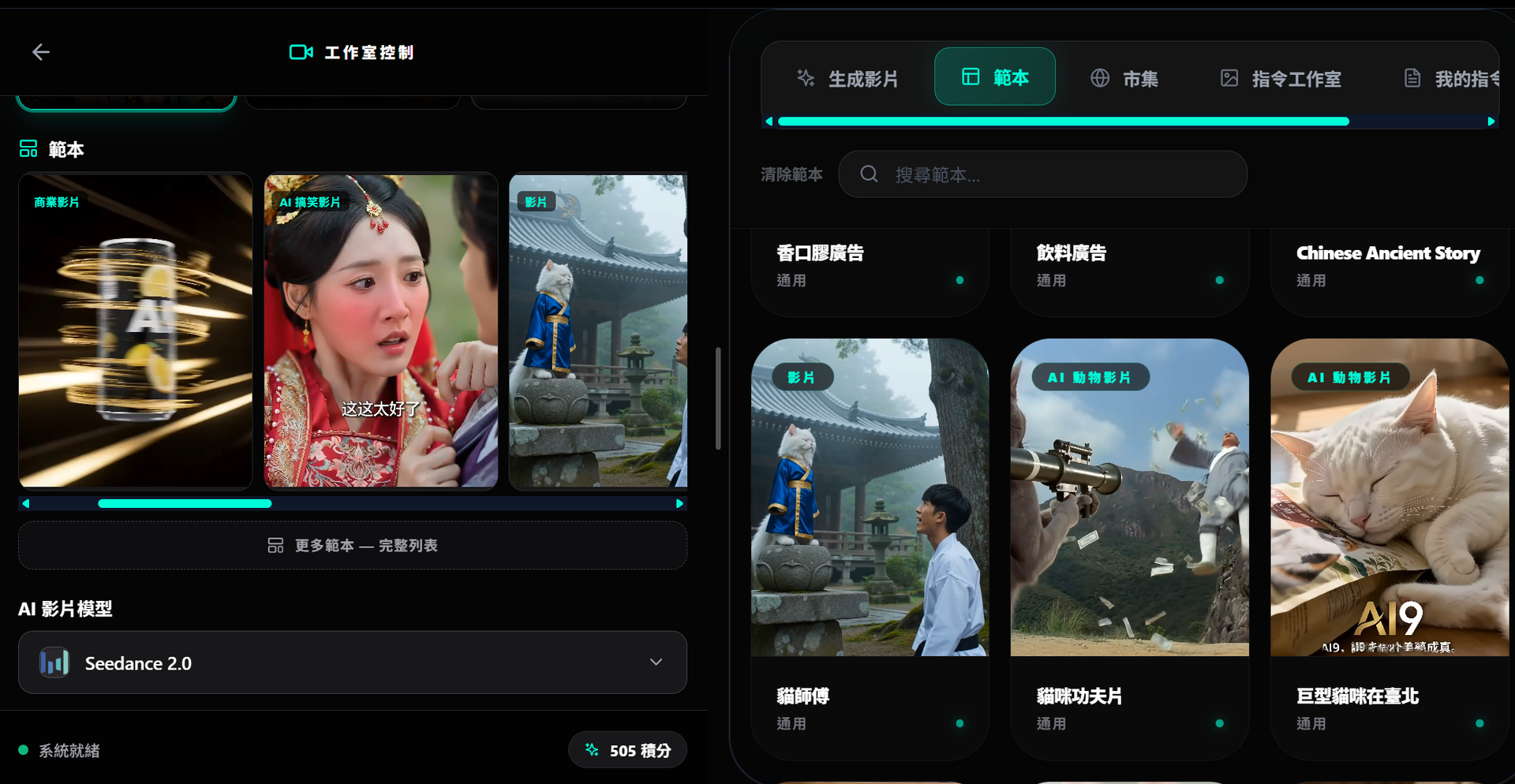
Combined with the platform's video template categories—commercial videos, AI animal videos, AI fun videos, etc.—even beginners can quickly produce decent finished products.
Resource Marketplace: Buy Inspiration and Earn Credits
What truly transforms AI9app.io from a mere "tool site" into a "platform" is the Marketplace. Here, users can sell their self-created AI prompts, templates, and assets to other creators, with transactions settled using the platform's Credits.
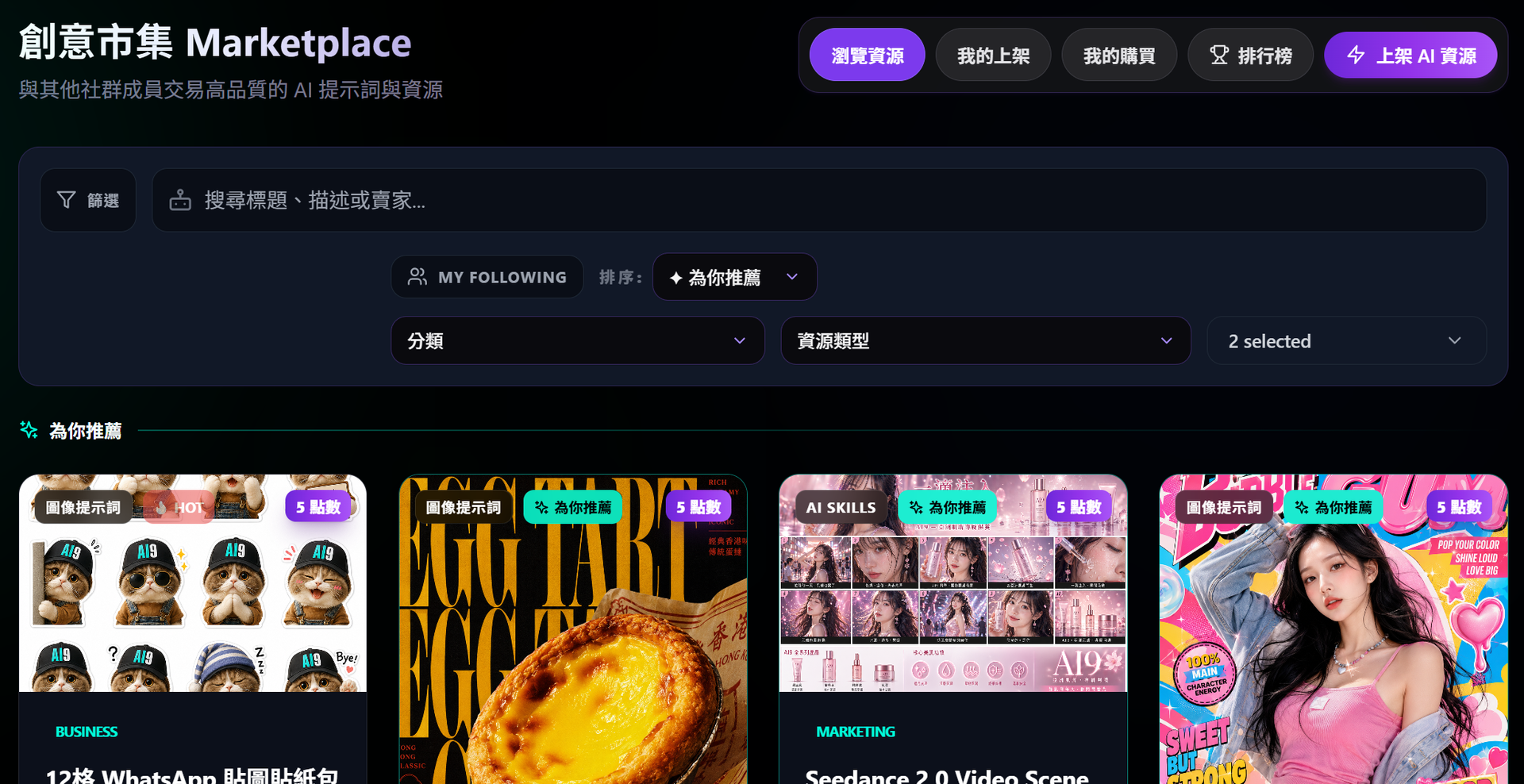
For Buyers: You can browse by category, keyword, or sorting (latest, popular, price high to low) to find ready-made prompt packs, template files, images, and video assets, saving a tremendous amount of trial-and-error time.
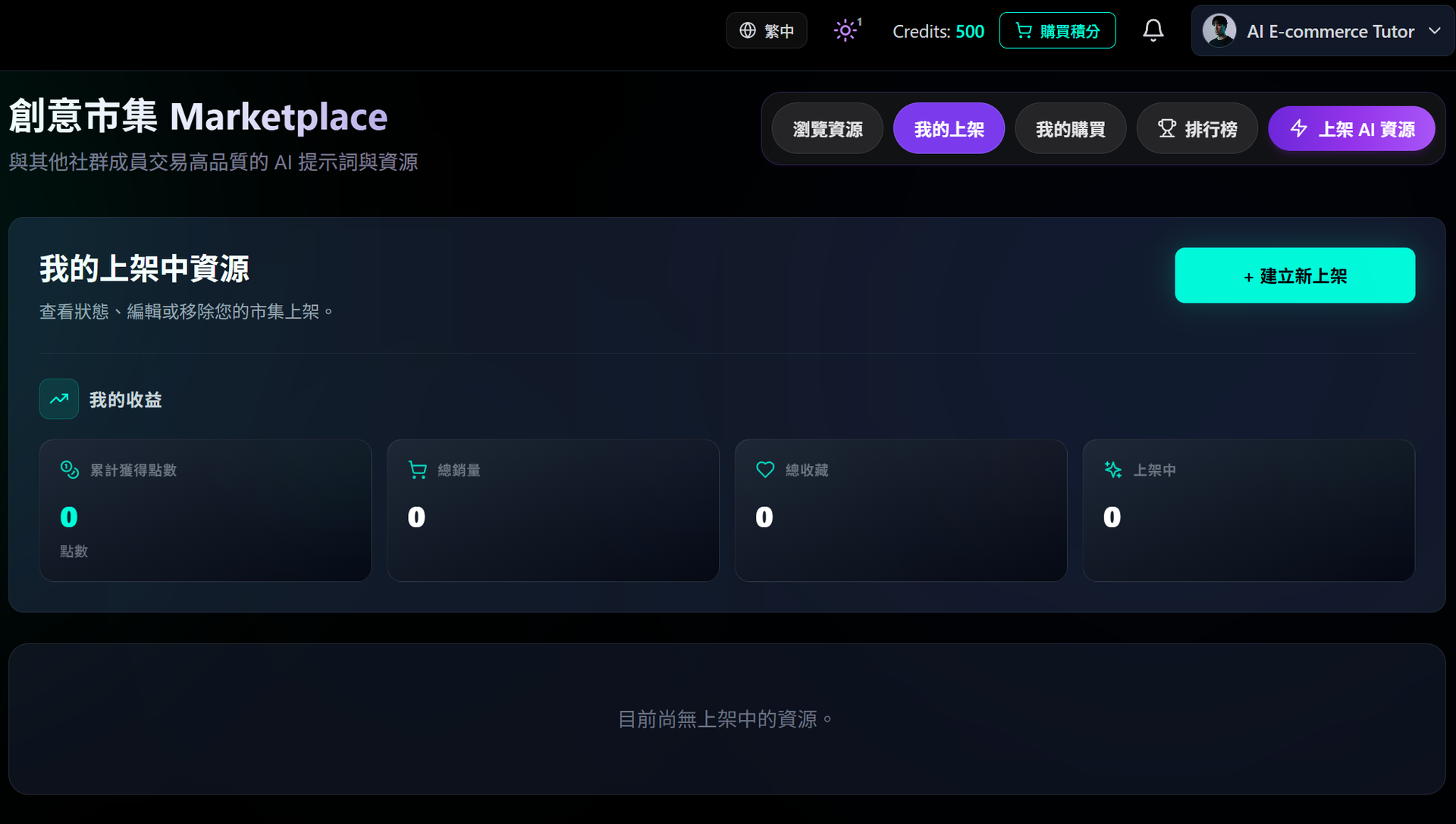
For Sellers (Creators): This is a monetization channel. Whenever someone buys your listed content, credits go directly into your account. You can also have a public seller profile to showcase all your work, accumulate fans and followers, and gradually build your own creative brand. The listing process isn't complicated either: fill in the title, description, category, tags, and pricing, upload the cover and resource files, and you can publish it or save it as a draft first.
This cycle of "using the tools and earning back credits through your work" is the core benefit AI9 provides to creators. Your output on the platform isn't just a finished product; it becomes an asset that continuously generates income.
AI9: Content and Ads Built for the Asian Market
AI9app.io's positioning is very clear: serving the Chinese-speaking and Asian markets. The entire site features a bilingual Traditional Chinese and English interface, and the copy isn't rigidly machine-translated but localized sentence by sentence. The credit plans display pricing in both HKD and USD (ranging from 175 credits for beginners to 5,600 credits for top-tier, and the credits never expire). Compared to other AI platforms requiring monthly subscriptions, AI9's AI generation tools use a highly flexible credit system without subscriptions. For personal and enterprise users in Hong Kong and Taiwan, payment and expense reporting are much more intuitive.
Official Pricing Link: https://ai9app.io/
More importantly is the content tone. From the Social Media Studio and Ad Studio to various commercial and fun video templates, the platform itself is designed around the practical needs of social media marketing and ad placements.
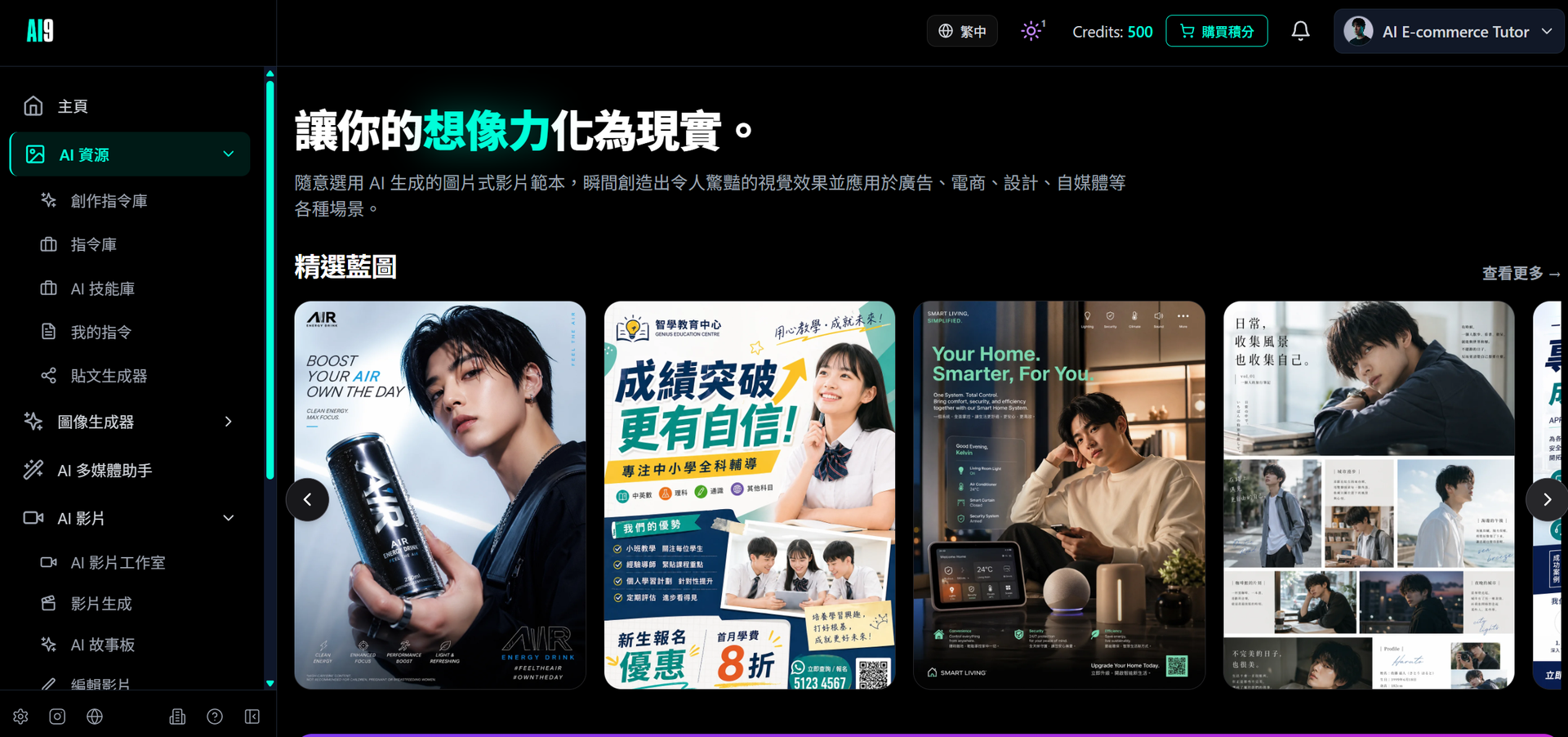
If you want to create visuals suited to Asian aesthetics, or styles that lean toward Hong Kong or Korean trends, you can use reference images, style references, and templates uploaded by other creators in the marketplace to quickly dial in the right vibe, then use the AI Ad Studio to produce product advertisements.
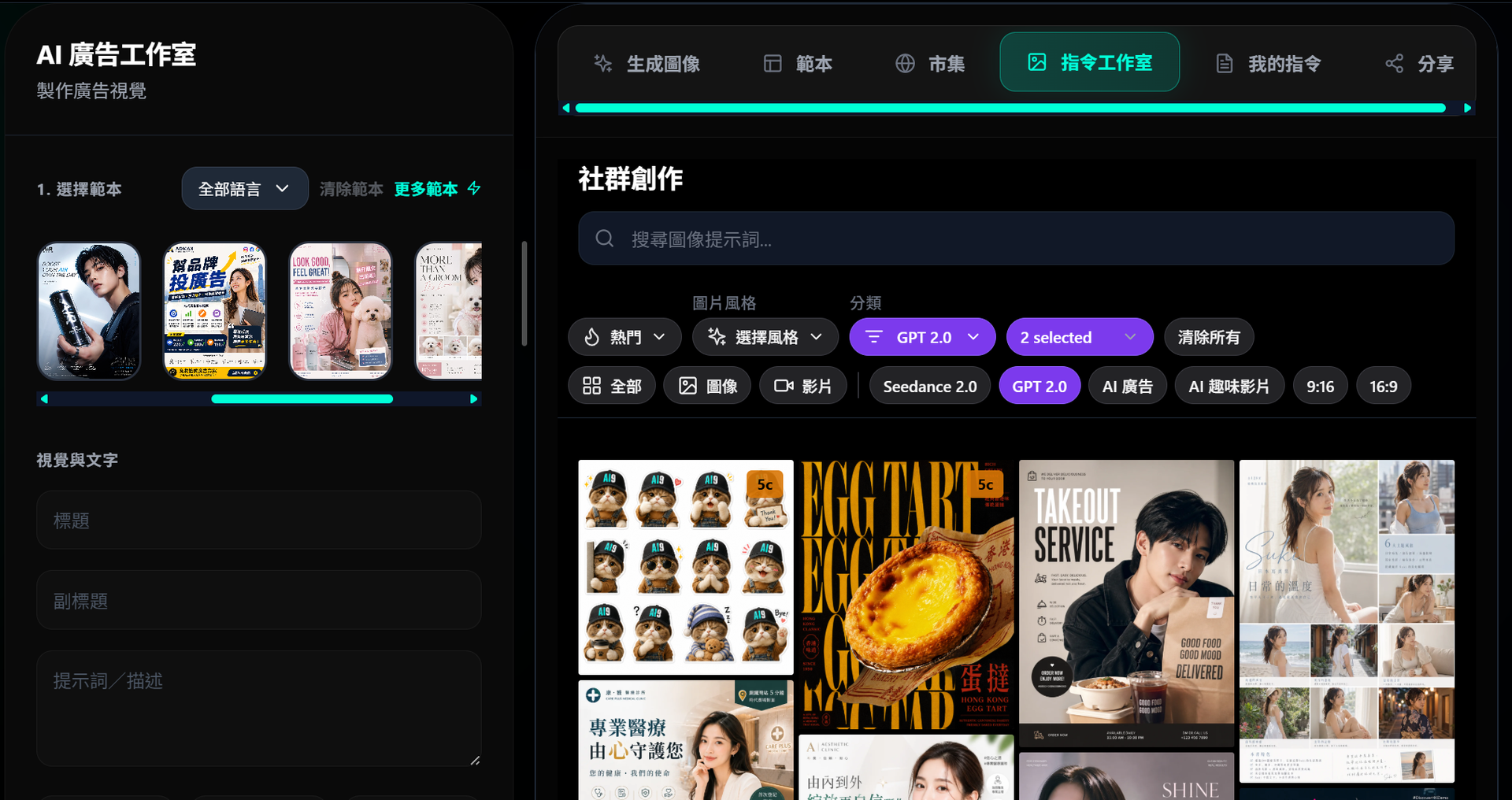
For local SMEs and independent creators, this means you don't need to understand studio setups or maintain an entire design team to continuously produce competitive advertising assets.
Conclusion: Start with One Complete Workflow
The value of AI9app.io doesn't lie in how powerful one single feature is, but in how it strings generation, storyboarding, editing, and monetization into a complete pipeline, while catering to Asian creators with a bilingual interface, localized pricing, and relevant templates.
If you're a first-time user, my recommendation is: pick a real, small project first—like a 30-second product short film—use the AI Story Studio to arrange the storyboard, use Seedance 2.0 to generate the video, jump into the Video Editor to wrap it up, and then list the good prompts you created along the way on the Marketplace. Once you've gone through one full cycle, you'll understand why more and more Chinese-speaking creators are making AI9app.io their primary creative hub.