
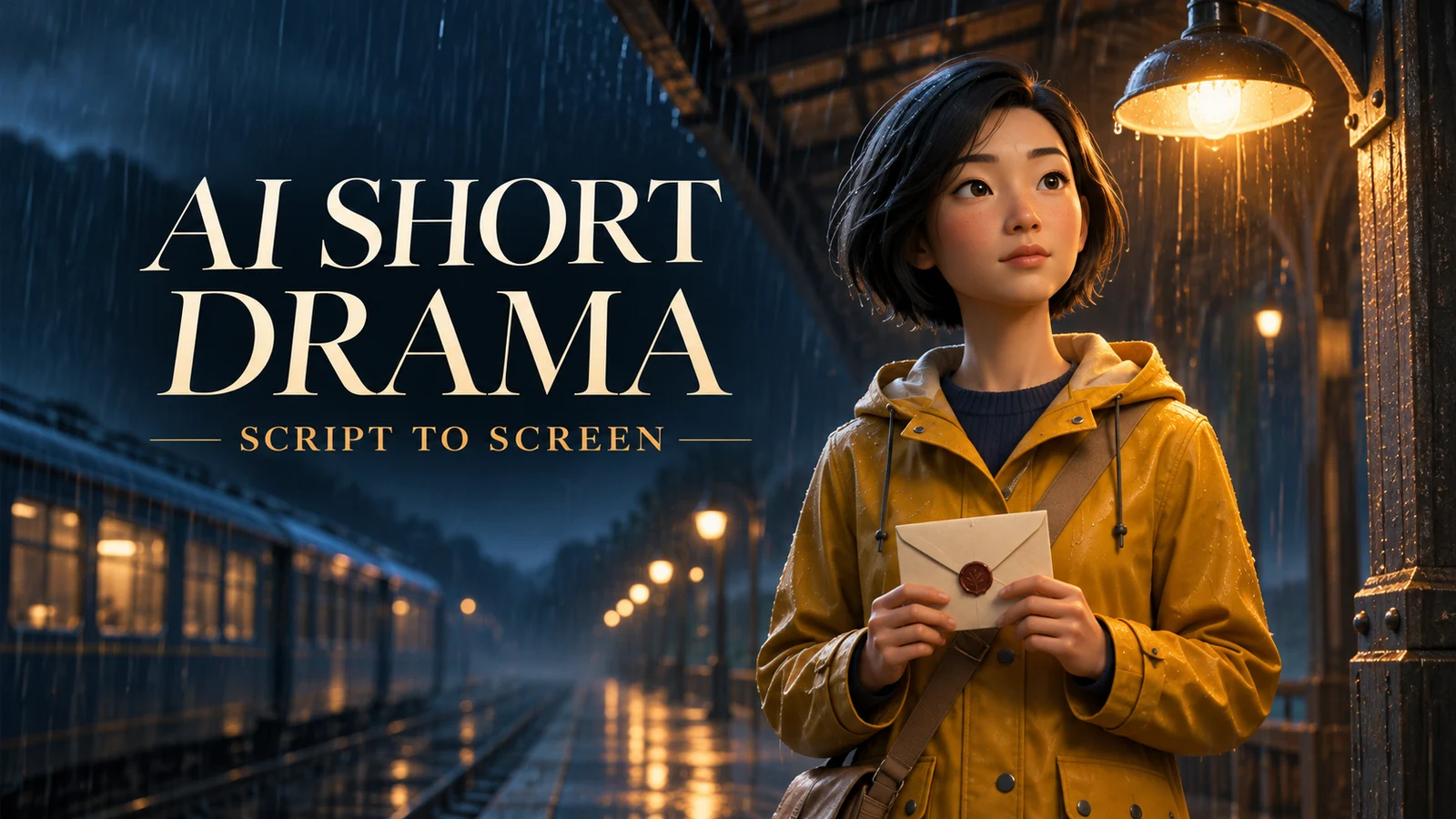
Break down the script, settle the characters and sound, then generate footage. This guide uses Claude or ChatGPT for 15- and 30-second clip prompts, ChatGPT Images or Nano Banana for character and scene art, and AI9app for generation and editing.
Our original vertical short, The Rainy Night Recording, follows Lam in a yellow raincoat. At an empty station she gets a voice message from Kai, finds an envelope and learns the message was recorded years ago. Only Lam appears on screen, so you can practise visual continuity without juggling two faces.
01 / SCRIPT AND CLIP PLAN
Use Claude or ChatGPT to write 15- and 30-second clip prompts
Ask for a readable script first, then request two versions of the shot plan in the same conversation. One scene can contain several shots, and one generated clip only needs to cover one story beat. If your model does not support the requested duration, split the beat into shorter shots and edit them together.
Act as a short-film writer and storyboard artist. Write The Rainy Night Recording as a 60-second, 9:16 mystery at an empty railway station.
Lam wears a mustard raincoat, navy trousers and a brown crossbody bag. Kai is heard only in a voice message. Start with a logline, character and prop notes, and complete dialogue that fits the allotted time when read naturally.
Deliver A: four 15-second clips S01–S04. Deliver B: two 30-second clips L01–L02. Keep the story the same.
For each clip, list edit timecodes, local shot timecodes, framing, action, camera movement, exact dialogue, ambient sound and the handoff to the next clip.
Write one standalone video prompt per clip. Repeat the key identity and location details, assign a purpose to each image or audio reference, and mark shots that can be regenerated separately. Return text for review first.
| Time | 15-second cuts | 30-second cuts |
|---|---|---|
| 00–15 | S01: Lam enters; the phone lights up | L01: Arrival and voice message |
| 15–30 | S02: Kai directs her to the second bench | |
| 30–45 | S03: Lam finds an envelope | L02: Discovery and the date reveal |
| 45–60 | S04: The old date makes Lam freeze |
02 / CHARACTER DESIGN
Make a three-view character sheet with ChatGPT Images or Nano Banana
Put a large face close-up on the left and full-body front, side and back views of the same character on the right. Use the close-up to check facial features and hair, and the full-body views to check clothing, proportions and props. Only Lam needs a sheet in this example. If both characters appear on screen, make one per character. See ChatGPT Images and Google’s Nano Banana guide for working with image references.
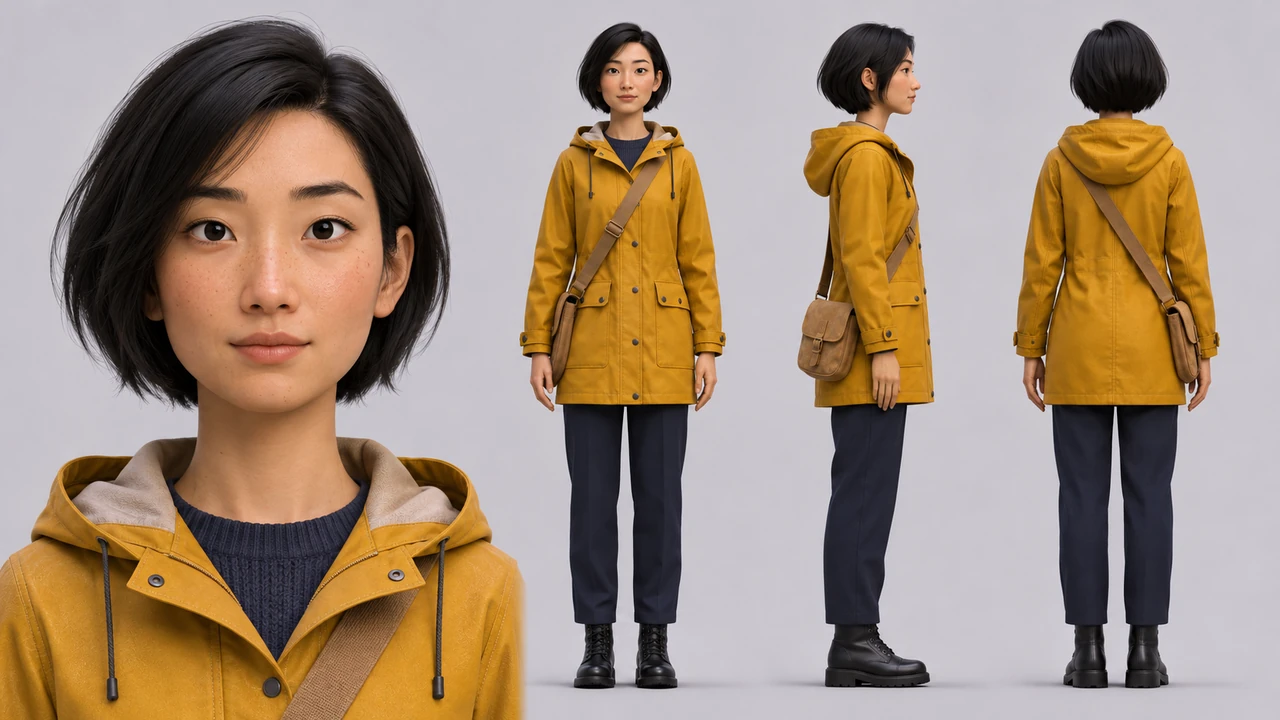
Create a 16:9 turnaround sheet for Lam, an original adult character. Put one large front-facing portrait on the far left, framed from the chest up with the whole hairstyle visible. On the right, arrange full-body front, right profile and back views. Keep the same character in all four views, with matching scale and neutral stance across the three standing figures.
Short black bob, mustard raincoat with hood down, navy trousers, black boots and tan crossbody satchel. Strap runs from left shoulder to right hip. Cinematic 3D animation, pale grey background, aligned feet, full head and boots, no text.
If a reference is attached, preserve the face, hairstyle and clothing and change only the requested view.
03 / SHOT REFERENCES
Write a scene image prompt for each shot
Give the assistant the shot plan and approved character art. Ask it to specify framing, lighting and props before generating the stills. The character sheet establishes who appears; the scene image establishes what the camera sees. For later shots in the same space, attach the previous approved image to hold the geography and colours.
Use the script, character reference A and the shot plan to write a separate 9:16 image prompt for each of S01–S04.
Set the location, framing, position, pose, eye line, props, light direction and continuity details. Use an empty rainy station, cool blue ambience, a warm light over the bench and original 3D animation. Keep the outfit fixed and show only one Lam.
S01: wide platform. S02: medium shot with phone. S03: discovery of envelope by the bench. S04: reaction after opening the letter. Return prompts for approval before generating the stills.
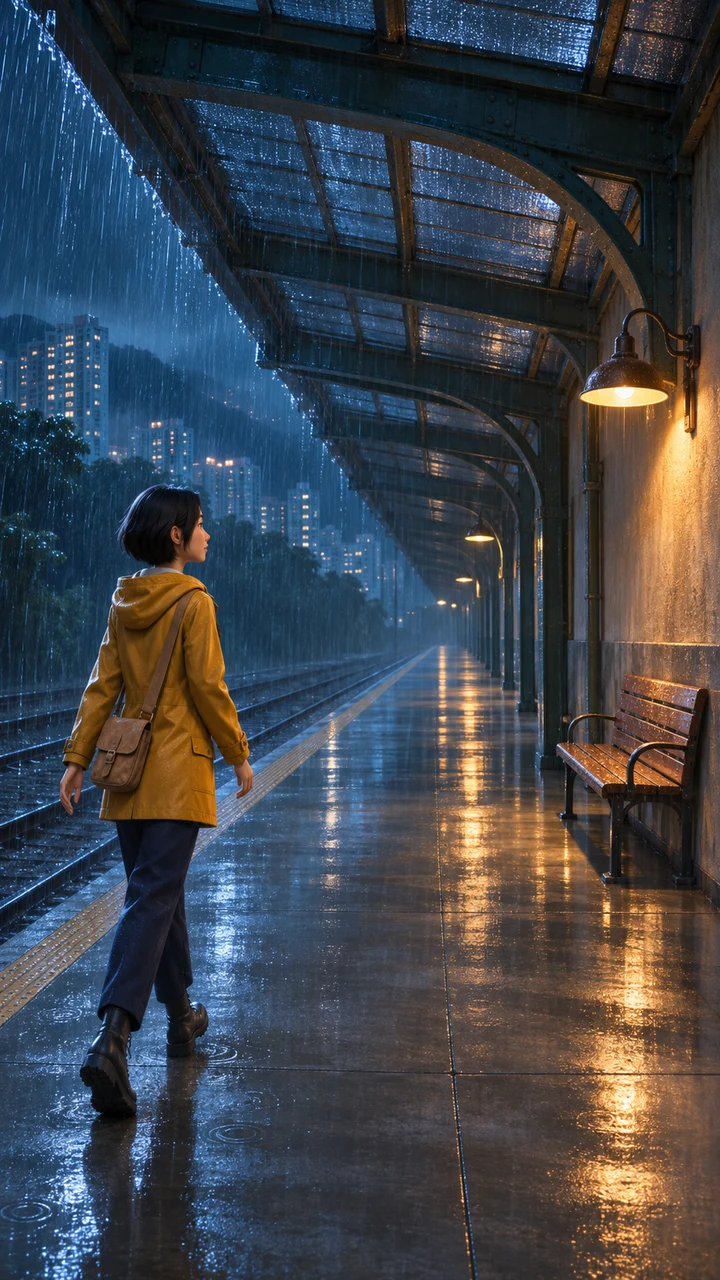
S01: Attach the character sheet. Wide 9:16 cinematic 3D frame. Lam enters the empty rainy platform from lower left, wearing a yellow coat, navy trousers and brown satchel. Tracks left; wooden bench and warm wall lamp right; wet reflections.
S02: Attach the character sheet and S01. 9:16 medium shot. Lam stands by the same bench looking down at her phone. Cool phone glow on her face, warm lamp behind right. No text on the screen.
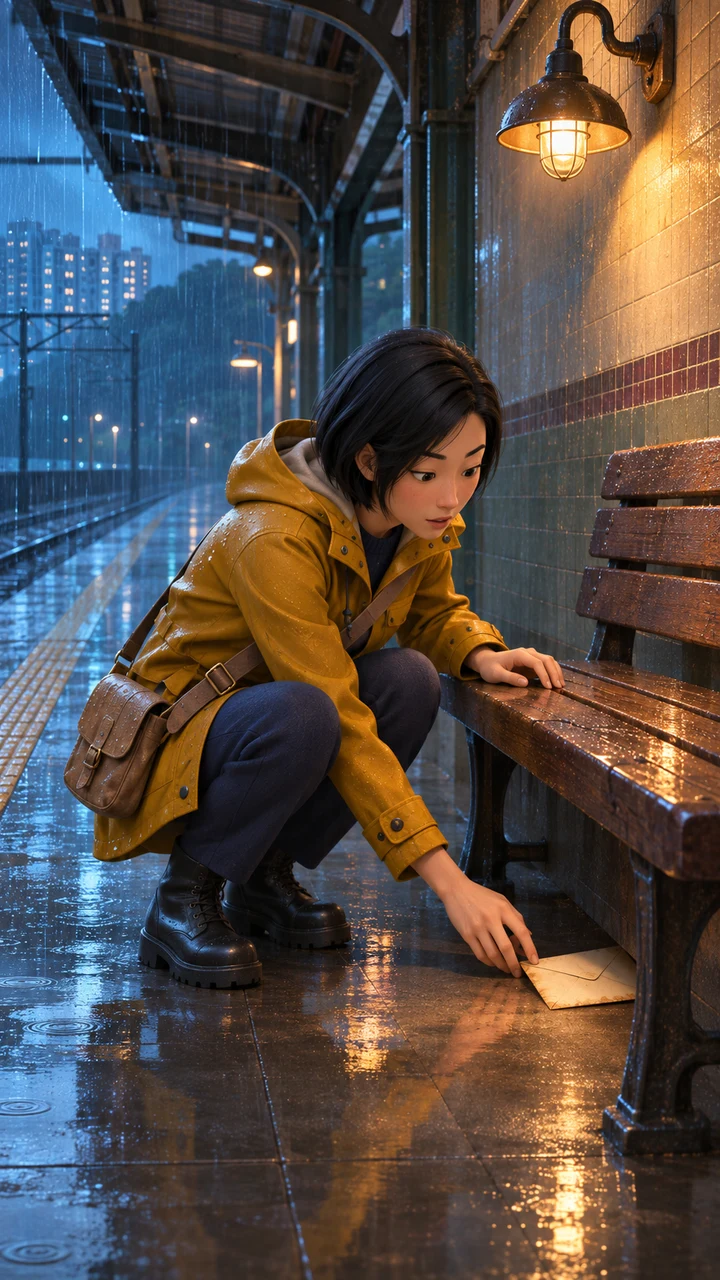
S03: Attach the character sheet and S01. 9:16 medium shot. Lam crouches by the wooden bench on the right, one hand on the seat, the other reaching for an old envelope underneath. Keep the blue light and tracks at left.
S04: Attach the character sheet and S03. 9:16 reaction close-up. Lam freezes after opening the letter. Keep a corner of the paper at the bottom, warm light at right and cool light at left. No legible text on the paper.
Check the raincoat, bag placement and screen direction in each still. A prop can switch sides even when the face looks right.
04 / CHARACTER VOICES
Give each character a reusable voice
Choose one synthetic voice for each role and select it again for every line, or record audio you are authorised to use. Get explicit consent before cloning a real voice and follow the tool’s requirements. Export clean speech in separate files, with a little silence on either end. Keep music out of voice references.
Lam / voice-lam: adult woman, lower register, natural Hong Kong Cantonese, short pauses. “呢段錄音……點解係今日先收到?”
Kai / voice-kai: adult man, Hong Kong Cantonese, gentle and measured. “去二號長椅,睇吓下面。”
Produce clean speech only. Save each line separately (for example S02_Kai_01.wav). Reuse the same voice for each character and read the line aloud to verify the timing.
When the selected mode accepts audio references, attach the correct file and identify the role it plays. Audio input alone does not ensure voice cloning or exact lip sync. To lock the dialogue, generate the picture and edit in the original voice track. Use a compatible lip-sync workflow for visible speech; Kai’s off-screen line can go straight onto the timeline.
LEARN / AI COURSES
Take the next step.
Learn AI by doing.
Explore AI for All courses in Marketing, workplace productivity, Vibe Coding and AI Agents. For teams, discover training built around the work you want to improve.
05 / GENERATE EACH CLIP
Turn character, scene and voice references into footage
Run S01 first. In a compatible reference mode, assign A to the character sheet, B to the scene still and C to the voice track where needed. If the mode only accepts a start frame, use a scene still that already shows the right character. Verify the face, screen direction and cut point before continuing.
Copy one prompt at a time. Start with S01 and attach only the character, scene and sound references that clip needs. Use the demo stills for S01 and S03; generate S02 and S04 from the still prompts above. If your model only takes a start frame, use the still showing Lam in the scene. If the mode does not support audio references or lip sync, leave room for the line and add the original recording in the edit.
S01|15 seconds,9:16。
Style: Cinematic 3D animation, rainy-night mystery. Wide establishing frame and a slow tracking move. Cool blue rain and the amber lamp on the right set the mood.
References: Lam’s full-body front or side view: lock her yellow coat, short black bob and brown satchel. S01 platform still: match the bench on the right, tracks on the left and direction of arrival. No voice reference.
Timeline: 0–5s: Lam enters the empty platform from the left. 5–10s: Track her in a medium shot until she stops by the bench. 10–15s: Cut to her hand as the phone lights up; hold it low in frame. Keep rain and footsteps, with no legible text.
S02|15 seconds,9:16。
Style: Cinematic 3D animation, rainy-night mystery. A restrained medium close-up. Cool phone glow on Lam’s face, warm lamp behind her to the right; hold still while she listens.
References: Lam’s face close-up: match features and hair. S02 phone still: match framing and light. S01 end frame: carry over phone position and grip. Kai’s S02_Kai_01.wav: off-screen dialogue.
Timeline: 0–4s: Lam looks down and taps the phone. 4–11s: Kai off-screen says “去二號長椅,睇吓下面。” 11–15s: She looks toward the bench beneath the warm lamp. Keep Kai off screen and Lam’s lips still while she listens.
S03|低機位中景稍向前推,再切信封近鏡;暖燈照亮手與紙,背景保留冷藍雨光。 seconds,9:16。
Style: Cinematic 3D animation, rainy-night mystery. Lam’s side view: match clothing and satchel placement when she crouches. S03 bench still: match bench, envelope and direction of reach. S02 end frame: carry over eye line and screen direction. No voice reference.
References: 0–5s: Lam crouches beside the bench. 5–11s: She spots the envelope and picks it up. 11–15s: She holds it with both hands, ready to open it. Rain and paper rustle; no dialogue.
Timeline: undefined
S04|先用信紙插鏡,再切淺景深表情特寫;左冷右暖,留一拍讓觀眾看清反應。 seconds,9:16。
Style: Cinematic 3D animation, rainy-night mystery. Lam’s face close-up: lock her features. S04 reaction still: match framing and light. S03 end frame: match envelope position and grip. Lam’s S04_Lam_01.wav: dialogue and lip sync.
References: 0–5s: Lam opens the envelope without changing her grip. 5–10s: Cut to the paper; add the date in post. 10–15s: Cut back to her reaction as she whispers “呢段錄音……點解係今日先收到?” Adjust the start to fit the recorded line.
Timeline: undefined
L01|由廣角慢跟拍收至半身,切鏡克制;冷藍雨景、暖燈及手機光保持一致。 seconds,9:16。
Style: Cinematic 3D animation, rainy-night mystery. Lam’s full-body view and face close-up: lock her wardrobe and face. S01 platform still: match the geography. S02 phone still: match the listening shot. Kai’s S02_Kai_01.wav: off-screen dialogue.
References: 0–8s: Wide arrival. 8–15s: Track to the bench as the phone lights up. 15–24s: Medium shot as Kai says “去二號長椅,睇吓下面。” off screen. 24–30s: Lam looks toward the bench and prepares to crouch. Keep Kai out of frame and rain below the voice.
Timeline: undefined
L02|由低機位中景推至道具特寫,再切淺景深反應近鏡;雨聲平穩,結尾放慢。 seconds,9:16。
Style: Cinematic 3D animation, rainy-night mystery. Lam’s side view and face close-up: match wardrobe and features. S03 bench still: match envelope placement and action direction. S04 reaction still: match reveal framing. L01 end frame: carry over her pose and eye line. Lam’s S04_Lam_01.wav: final dialogue and lip sync.
References: 0–8s: She crouches and picks up the envelope. 8–15s: Opens it. 15–23s: Cut to the paper; add the date in post. 23–30s: Hold on Lam as she says “呢段錄音……點解係今日先收到?” Keep wardrobe, props and rain continuous.
Timeline: undefined
Reuse an approved end frame where a cut needs to continue the movement. If one shot fails, regenerate that shot alone.
06 / EDIT AND EXPORT
Assemble the short drama
- Place S01–S04 or L01–L02 on the timeline. Cut duplicate starts and ends on the movement.
- Lay in dialogue and lower music and ambience underneath. Check mouth movement and pauses.
- Add captions, the date on the letter and end credits. Match colour and loudness across cuts.
- Export vertically and watch the whole result on a phone. Check caption placement, props and sync. Save the project and clean audio tracks.
07 / AI9APP WORKFLOW AND MODELS
When to use Seedance 2.5, Seedance 2.0 or Wan 3.0
| Model | Try it for | Duration and inputs |
|---|---|---|
| Seedance 2.5 | A continuous 30-second beat or a shot guided by several types of media. | ByteDance lists up to 30 seconds per generation. Check the duration and reference fields in your chosen mode. Official model page |
| Seedance 2.0 | Shot-by-shot production when you want to revise one action at a time. | AI9app’s short drama workflow lists 5, 10 and 15 seconds. Edit two 15-second clips into a 30-second beat. Short Drama Maker |
| Wan 3.0 | Compare motion and native rain ambience on S01. | AI9app lists up to 30 seconds with native audio. Check what references the selected mode accepts. AI9app model catalogue |
In AI9app AI Media Agent, type / and choose the three-view character sheet skill. Approve the character design first. Then look for a drama or storyboard skill and supply the script and references. If that skill is not listed, paste the script prompt above or open AI Short Drama. Review the model, duration, reference assignments and estimated credits before approving. Send the finished shots to Video Editor. Official Media Agent guide
CREATE / AI SERVICES
An idea worth building?
Let’s put AI to work.
From AIGC visuals and video production to AI marketing, websites, mobile apps and 3D design, explore services that bring your next project to life. Tell us what you want to create.