
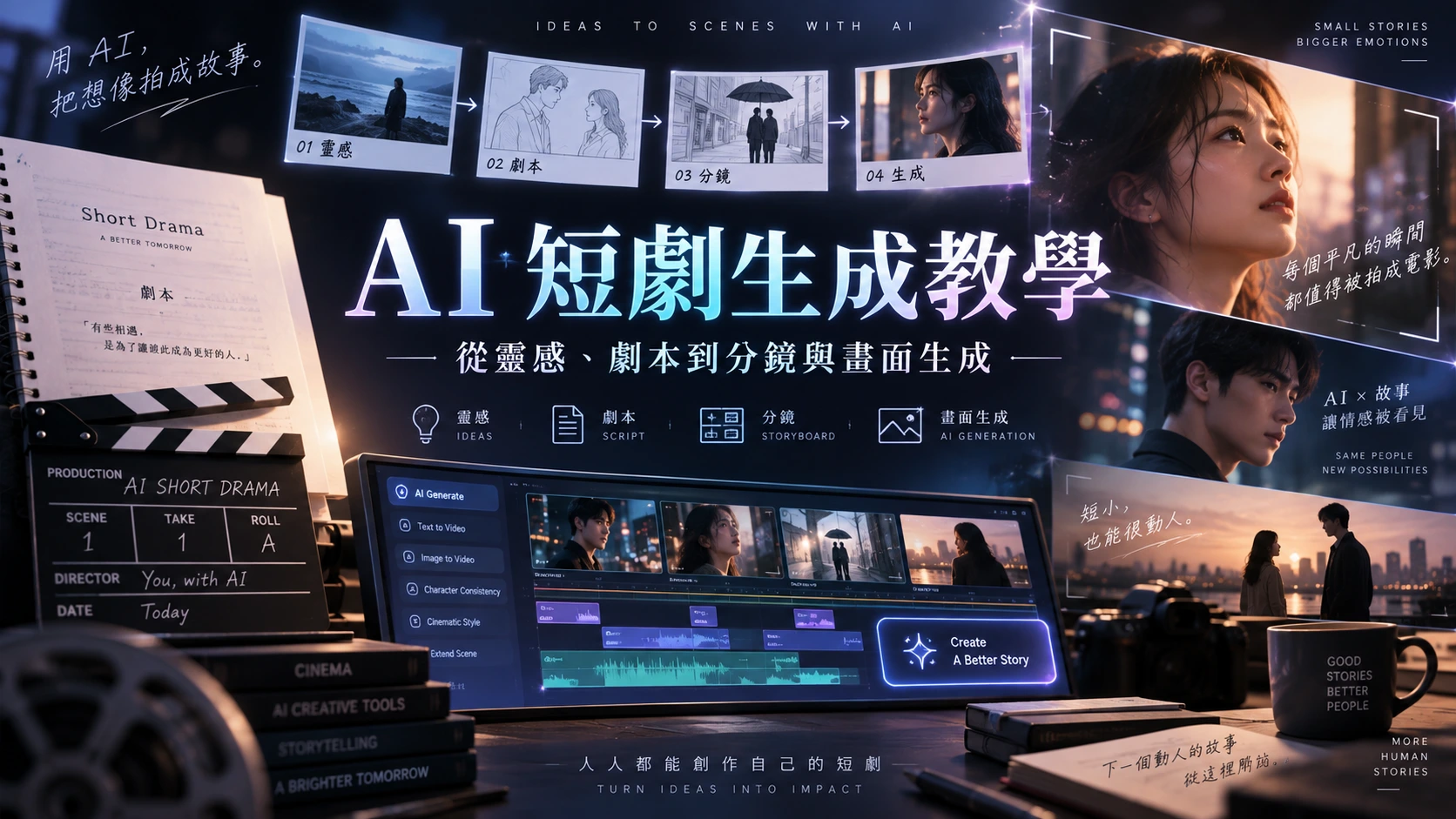
AI Short Play Generation Tutorial From Storyboarding to Final Cut in One Go! Decoding Seedance, Wan 3.0, and MiniMax H3 Video Models
With the advancement of artificial intelligence technology, the barriers to image creation are lowering at an astonishing rate. In the past, film and television works required professional photography teams, a cast of actors, and a large post-production budget to complete, but now, with AI tools and precise prompts, one person can transform into a director with an entire production studio. Among them, "AI Short Plays" have become the traffic code on major video platforms and social media today.
However, many beginners often encounter several fatal pain points when trying to produce AI short plays:Inconsistent character appearances (commonly known as "face-changing")、Storyboards and actions not meeting expectationsandthe need to endlessly "draw cards" (regenerate) to obtain usable images。
This article will break down the 4 common standard processes for AI short play generation and analyse the three major AI video generation models (Seedance 2.5, Wan 3.0, MiniMax H3), and finally recommend a one-stop ultimate creative tool that can handle all processes—ai9app, allowing you to easily produce high-quality hit AI short plays!
1. Analysis of the 4 Mainstream Processes for AI Short Play Generation 🤔
Before we start creating, we must first determine the "workflow". Different processes will directly affect your output speed and the accuracy of the images. Below are the 4 most commonly used generation methods in the industry and among creators, along with their respective pros and cons:
Process 1: Directly break down the script into video instructions, referencing the previous segment of the video for infinite extension
This is the most intuitive method and the one many beginners try first. You can take the completed short play script, directly input it into the AI tool, and cut it into individual image descriptions (for example: "the male lead walks into the café", "the female lead turns and smiles"), generate the first segment of the video, and then use the "Image-to-Video" or video extension function to take the last frame of the previous video as the reference for the next segment, extending it infinitely.
Advantages:Fastest generation speed, and the simplest process. If you are using models like Wan or Minimax, the character review is usually more lenient, so you don't have to worry about characters failing to pass review due to copyright or overly strict restrictions.
Disadvantages: Because there is no locked base character image,the development of characters and plots can easily deviate from expectations. AI often gradually "lets itself go" during the extension process, leading you to potentially spend a lot of time "drawing cards multiple times" (constantly regenerating) to get images that barely connect.
Process 2: First create character images and storyboards (precise control flow)
To improve the "high draw rate" issue in the first method, advanced creators adopt a "first set the images, then animate" strategy. You can use AI Agents (intelligent assistants) or visual board tools to first generate standard character design images (three-view or multi-angle references) for each core character in the script, and convert the script into detailed storyboards.

Like many advanced Agent tools, it can automatically help you transform abstract stories into high-resolution images and storyboard details for all characters.
Advantages:Character and storyboard predictions are more accurate. With consistent character reference images and clear image compositions, the error rate of AI when generating dynamic videos is significantly reduced, effectively decreasing the time cost of ineffective draws, and the commercial quality of the work is greatly enhanced.
Disadvantages: The preparatory work is longer, requiring effort to adjust the details of static images.
Process 3: Generate a single character reference image, then generate each segment of the video separately
This is a compromise between Process 1 and Process 2. You only need to generate a satisfactory "main character reference image (Character Reference)" first, and then when generating each segment of the storyboard video, you must attach this reference image, allowing the AI to give the image different actions and backgrounds based on the instructions.

Advantages:Highest overall efficiency. It can maintain the basic consistency of the character's appearance while saving time on drawing complete storyboards, resulting in a very fast overall output speed.
Disadvantages: Because it relies only on a single image and text prompts,the accuracy of the storyboard may not be sufficient. For example, if you want the character to be running, the AI may only make the character's head turn, or the blending of the background may not meet your expected effect.
Process 4: Use Agent and canvas functions to let the AI plan and generate the complete process
This is currently the most advanced and systematic generation method. You are no longer manually giving step-by-step instructions, but instead, you introduce functions like Agent (intelligent agent) and infinite canvas. You can throw your initial ideas to the Agent, allowing it to automatically plan the complete process of "script outline ➔ character design ➔ storyboard script ➔ video generation ➔ post-editing", and you only need to visually review and fine-tune on the canvas.

Advantages:Highly automated and systematic. It liberates creators from tedious instruction writing, allowing them to control the quality and direction of the entire short play from a global perspective.
Disadvantages:Requires skills to communicate with the Agent. If your instructions are too vague, the Agent may plan an incorrect route, and there is a certain learning curve in the initial stages.
LEARN / AI COURSES
Take the next step.
Learn AI by doing.
Explore AI for All courses in Marketing, workplace productivity, Vibe Coding and AI Agents. For teams, discover training built around the work you want to improve.
2. Recommended AI Video Generation Models for 2026 (Seedance, Wan 3.0, MiniMax H3)
After mastering the workflow, choosing the right "engine" is crucial. Currently, AI video generation models are competing fiercely, each with its own area of expertise. Here are the three most notable models this year:
1. Seedance 2.5: The smooth and efficient king of dynamics
Seedance 2.5 has an extremely high reputation among short play creators, especially in handling complex actions and fast camera movements, demonstrating astonishing smoothness.
Key Advantages: Its response speed is extremely fast, making it very suitable for using the "Process 1" and "Process 3" mentioned earlier. When generating character dynamics, Seedance 2.5 handles limb joints quite naturally, with fewer occurrences of the common "limb melting" phenomenon seen in AI videos. Additionally, it has a higher tolerance for generating prompts, allowing creators to shape fictional characters without overly worrying about triggering unreasonable review mechanisms, thus enabling more freedom in creativity.
2. Wan 3.0: A quality giant with ultra-long duration and comprehensive reference
Launched by Alibaba, Wan 3.0 is regarded as a heavyweight bomb in the AI video field this year.
Key Advantages: Wan 3.0 can generate native 1080P/2K high-quality videos lasting up to 30 seconds, which was unimaginable in previous models. Its most powerful feature is the "comprehensive mixed reference input"—you can input text, multiple images, and even audio simultaneously to guide video generation, ensuring absolute consistency at both geometric and pixel levels. For short play segments that require high quality and long takes, Wan 3.0 is definitely the first choice.
3. MiniMax H3: A versatile multimodal and ultimate realism
MiniMax H3 is a versatile multimodal video generation model that breaks the boundaries between text, images, and audio, allowing for a unified understanding of these elements within a single context.
Key Advantages:H3 is renowned for its open weights and strong adherence to physical laws. It can not only render cinematic-quality 2K visuals but also accurately reproduce changes in light and shadow as well as subtle facial expressions of characters. If your short play contains a lot of emotional scenes or requires extremely realistic real-world settings, MiniMax H3 can provide unimaginable visual impact, with generation speeds even surpassing real-time.
3. Ultimate Solution: Use ai9app to create AI short plays in one stop.
After reviewing the above processes and powerful models, you might think, "Switching between different platforms, learning to communicate with Agents, and finally having to find editing software to piece it all together is really too troublesome, isn't it?"
This is precisely why ai9app was born. As the most comprehensive AI creation platform in 2026, ai9app perfectly integrates all the essential elements of AI short play generation, allowing you to elegantly complete everything from zero to one within the same interface.
👉 Creation Tool: ai9app.io/zh-TW
Why choose ai9app? Its core highlights:
Dedicated AI Short Play Tool and Generation Tool
ai9app has a built-in workspace designed specifically for micro short plays. You can directly input your script on the platform, and the system will automatically help you break it down into storyboards, seamlessly connecting with top models (such as Seedance, Wan 3.0, etc.). You do not need to manually set complex APIs; the platform has already optimized the best generation parameters for you.

Visual Agent Planning Function (Agent Plan to Create AI Video)
Perfectly addresses the pain point of needing to learn to communicate with Agents in "Process 4". The Agent tool in ai9app provides an intuitive canvas interface, allowing you to freely drag and drop elements and character designs you want to reference to different positions. The Agent acts like a professional producer, automatically scheduling for you, from locking character consistency to scene transitions, planning the most reasonable generation path fully automatically.

Built-in One-stop Video Editor
Card drawing, generation, and editing all in one go! Clips generated in ai9app can be directly imported into the powerful built-in video editor. You can add transition effects, background music, and AI voiceovers here. There is no need to repeatedly download and upload large video files to third-party software, significantly improving creative efficiency.

Resource Marketplace and Subscription-free Model Support
If you lack inspiration, ai9app offers prompt engineering and a resource marketplace, allowing you to reference efficient prompts from other creators. Even better, by using ai9app's Agent function to call certain powerful models (such as Seedance 2.5), you can enjoy highly flexible billing or avoid the cumbersome high subscription fees of a single platform, minimizing creative costs.

The evolution of AI video technology is rapid, from the early rough animations to today's 30-second long shots of Wan 3.0 and the cinematic quality of MiniMax H3, the golden age of AI short plays has arrived.
Whether you are pursuing the "script direct output flow" for rapid production or the "precise storyboard flow" for perfect quality, a good tool can definitely make your efforts more effective.
👉Click here to learn more and start creating:ai9app.io/zh-TW
AI9app AI Space Note:
2025 Update AI Tools Table
CREATE / AI SERVICES
An idea worth building?
Let’s put AI to work.
From AIGC visuals and video production to AI marketing, websites, mobile apps and 3D design, explore services that bring your next project to life. Tell us what you want to create.