
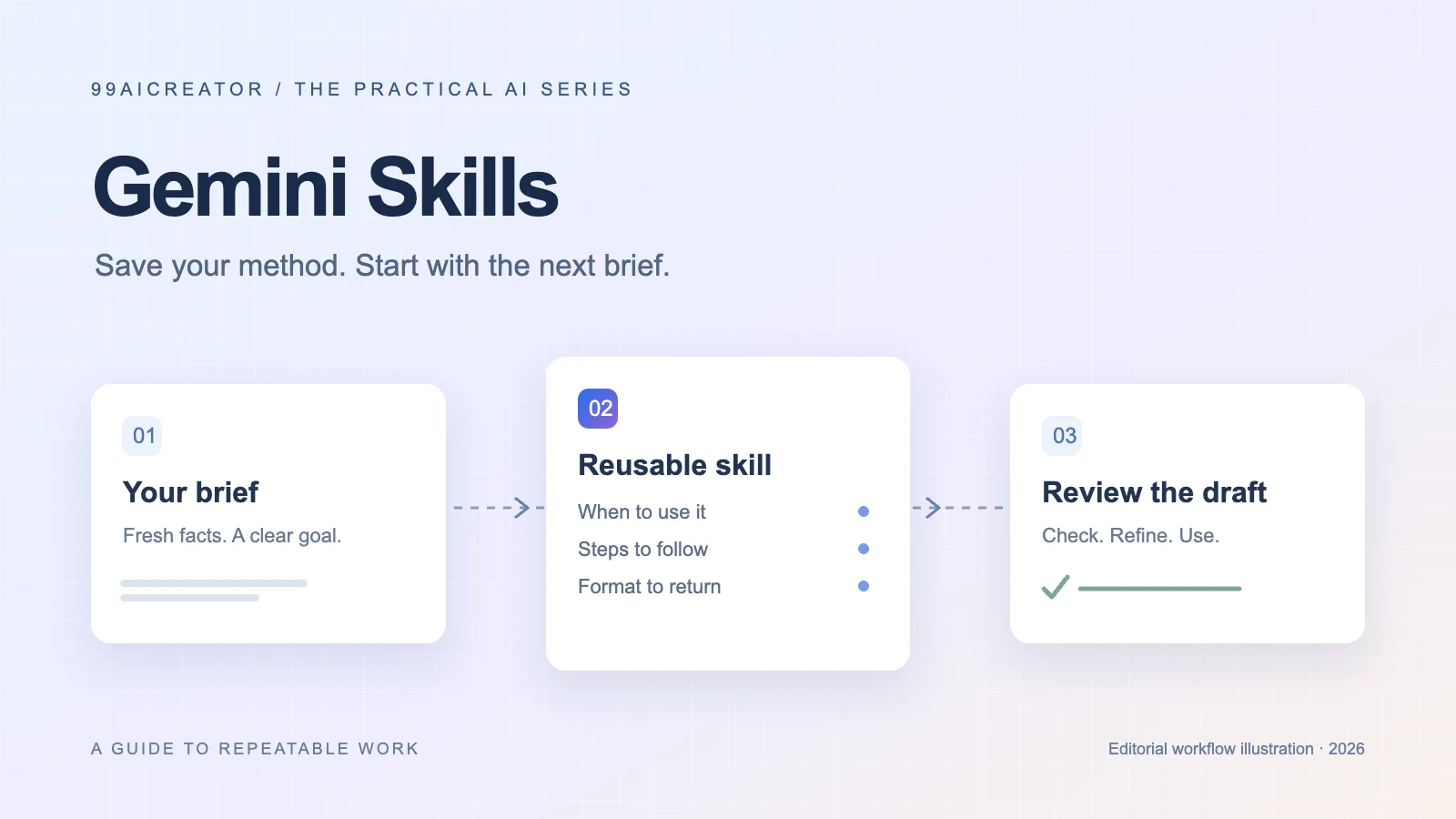
A Gemini skill saves the way you want a recurring job done. Give it a clear trigger, a repeatable method and an output you can check. Start with one small workflow, then improve it using real examples.
You’ve already told AI your audience, tone and preferred format. Then a new chat starts, and you explain it all again. Gemini Skills offer a way to keep that working method ready for the next job.
This guide covers Gemini Skills in the Gemini app, with a short developer note on Gemini CLI. The six workflows and prompts below are original examples to adapt, rather than measured performance claims or reports of customer deployments.
01 / THE BASICS
What are Gemini Skills?
Gemini Skills save instructions for recurring work. Their descriptions help Gemini identify a suitable method for the task. Google: how skills work
Think of a skill as your editing brief turned into a repeatable process. A prompt says, “Write this product description.” A useful skill explains how to write any description in your catalogue: who it is for, which details to include, how to structure it and which claims to avoid.
The value is consistency. You still provide the current product details; the saved method tells Gemini what to do with them. Review the result before using it.
02 / CHOOSE THE RIGHT FEATURE
Gemini Skills vs Gems vs Gemini CLI
| Feature | Where it fits | Practical example |
|---|---|---|
| Gemini Skills | Reusable methods in Gemini app conversations. | Apply your house style to a new article. |
| Gems | Existing custom assistants moving toward skills. | Recreate a writing Gem’s instructions as a focused skill. |
| Gemini CLI Agent Skills | Developer workflows in the terminal. | Package a repository’s review checklist with reference files. |
Google says the Gems transition starts in November 2026 for personal accounts, followed by business accounts in March 2027 and education accounts in June 2027. Its transition guide also lists current feature gaps, including Canvas and Deep Research. Check it before moving a workflow that depends on those tools. Google: Gems transition and limitations
For developers, CLI Agent Skills package instructions and resources in a directory. They load on demand; GEMINI.md provides broader workspace context. Use /skills list inside Gemini CLI to inspect available skills. App menus and CLI commands are separate workflows. Gemini CLI documentation
03 / GET STARTED
How to create your first Gemini skill
Google’s current guide requires age 18+, sign-in and Keep Activity enabled. Its transition page describes personal-account availability, with work and school access to follow. Account availability and menus may differ. Setup requirements · Account availability
Open Skills.
At gemini.google.com, open Customize → Skills. Look under More if Customize is hidden.
Create a focused skill.
Choose Create → Create manually. Add its name, description and instructions, then select Create. Google also offers creation through a chat.
Try it in a conversation.
Type
/(or@with the updated shortcut) and select your skill. Official creation and use steps
For your first test, choose a familiar piece of work: a product you sell, a page you wrote or notes from a meeting you attended. You’ll spot mistakes faster when you already know what a useful result looks like.
Name: draft-product-description
Description: Drafts product copy from supplied facts for an online shop. Use when preparing a new product page or rewriting catalogue copy.

Instructions:
1. Read the product facts, audience and brand examples I provide.
2. If the main benefit or a required specification is missing, ask for it.
3. Write a 40–60 word introduction and 4 factual benefit bullets.
4. Add a short “Who it’s for” section and one relevant call to action.
5. Use plain English. Match the tone of the supplied examples.
6. Do not invent certifications, reviews, discounts or specifications.
7. Finish with a checklist of claims that need my confirmation.
Keep changing inputs out of the saved instructions. Today’s product name, price and launch date belong in the conversation; the reusable writing process belongs in the skill.
04 / PUT IT TO WORK
6 practical Gemini Skills use cases
These examples suit creators and small teams. Each includes the input, the result to aim for and a check that makes the output useful.
1. Turn an article into social posts
Provide: an approved article and two examples of your brand voice. Aim for: three different angles for LinkedIn, Instagram and a short text post. Save platform tone, length and formatting preferences in the skill.
Use my repurpose-article skill on the article below. Draft one educational LinkedIn post, one Instagram caption and one short text post. Give each a distinct opening. Preserve the original facts and add no new statistics. Return drafts for my review.

Article: [paste approved article]
Review: Does every claim come from the article? Does each post have a reason to exist on its chosen platform?
2. Build a useful SEO content brief
Provide: the target query, audience, business goal and your own research. Aim for: a brief organized around what the reader needs to accomplish. Store your preferred brief structure in the skill.
Use my build-seo-brief skill for [query], aimed at [audience]. Use only the research I paste below. Return likely search intent as a hypothesis, a proposed title, H2 outline, questions to answer, internal-link opportunities and evidence still needed. Do not invent search volume or competitor rankings.

Research: [paste notes and source URLs]
Review: Validate the intent against current search results. A skill can organize a brief; ranking depends on the finished content, website and competition.
3. Draft consistent product descriptions
Provide: a product fact sheet and approved terminology. Aim for: descriptions that are easy to compare across your catalogue. Use the starter template above to keep the same fields and evidence rules.
Use draft-product-description for these 3 products. Follow the same structure for each. Highlight the strongest supported benefit and flag missing facts. Do not fill gaps with assumptions.

Product facts: [paste fact sheets]
Review: Confirm specifications, compatibility and promotional claims against your source records.
4. Convert meeting notes into an action list
Provide: notes or a transcript you are allowed to use. Aim for: a compact record of decisions, actions and open questions. Tell the skill how your team records owners and dates.
Use my summarize-meeting skill. Separate decisions, proposed ideas and unresolved questions. Return actions in a table: action | owner | deadline | supporting note. Write “unassigned” or “not specified” when the notes give no owner or date. Draft only.

Notes: [paste notes]
Review: Make sure a suggestion has not become a decision, and nobody has been assigned work they did not agree to.
5. Prepare customer-support reply drafts
Provide: the customer’s question and your current support policy. Aim for: an empathetic reply grounded in that policy. Store tone, reply format and escalation rules in the skill; supply changing policies with each request.
Use my draft-support-reply skill. Identify the customer’s request, match it to the supplied policy and draft a concise reply. If the policy does not answer it, flag the gap for a human. Do not promise a refund, delivery date or exception without explicit support in the policy.

Question: [paste]
Current policy: [paste]
Review: Check the applicable policy and case details before sending the reply.
6. Adapt English copy for Hong Kong readers
Provide: the English draft, approved glossary and local style examples. Aim for: natural Traditional Chinese that preserves the meaning. Save terminology and audience preferences in the skill.
Use my localize-hk-copy skill. Adapt this draft into natural Traditional Chinese for Hong Kong readers. Preserve product names, prices, dates and factual qualifications exactly. Follow the supplied glossary. Return the localized copy plus a list of phrases that need editorial judgment.

Draft and glossary: [paste]
Review: Compare numbers and conditions line by line, then read the localized version aloud for fluency.
05 / IMPROVE THE METHOD
How to write a skill you’ll actually reuse
Google recommends focused instructions, a description that identifies when to use the skill, examples of the desired output and guidance for missing information. Google: writing effective skills
Try a three-example review before calling your skill ready. Use one straightforward input, one incomplete input and one awkward edge case. Record where you corrected the output. If the same correction appears twice, turn it into a specific rule.
For instance, replace “Write better summaries” with “Put confirmed decisions first; list proposals separately.” Replace “Be accurate” with “Mark dates as not specified when the notes contain none.” Those rules give you something concrete to check.
Keep a small evaluation sheet: Was the skill selected? Were the facts preserved? Did the format match? How much editing remained? This measures the quality of your workflow without assuming a universal time saving.
Uploading a SKILL.md is another option. Google’s app documentation currently restricts scripts from making external website requests, so an uploaded skill should not be treated as an unrestricted integration. Upload restrictions
06 / QUICK ANSWERS
Gemini Skills FAQ
Are Gemini Skills free?
Google says skills can be used in chats without a Google AI subscription. Other capabilities can have their own access requirements. Current access guidance
Can I combine skills?
Yes. Google supports using multiple skills in a task. For example, test a product-copy skill with a separate localization skill, then review whether the two sets of instructions agree. Using skills
Will a skill automatically publish my content?
Saving writing instructions does not establish a publishing workflow. The examples here produce drafts. Decide separately how reviewed content reaches your CMS or social account, using the tools and permissions available to you.
Why isn’t my skill being used?
Check whether it is active and try selecting it explicitly. Then review whether its description matches the request. Manage active skills A narrow name such as draft-product-description also makes your own skill library easier to navigate.
Do I need to code?
The app provides a manual instruction editor. The template in this guide can be entered there. Terminal-based development belongs to the separate Gemini CLI workflow. App creation options
Sources and editorial notes
Researched on 19–20 October 2026 using Google’s documentation. Feature access and interfaces can change. Examples are original editorial suggestions; we have not benchmarked them or tested them in a signed-in Gemini account.
Save one method.
Make the next job easier.
Start with a task you repeat every week. Use the starter template, test a real example and keep the rules that improve the result.
Build your first skill ↑Continue with our Grok Bot setup and work use cases, explore the AI prompt library, or bring a recurring team workflow to our AI training.
LEARN / AI COURSES
Take the next step.
Learn AI by doing.
Explore AI for All courses in Marketing, workplace productivity, Vibe Coding and AI Agents. For teams, discover training built around the work you want to improve.
CREATE / AI SERVICES
An idea worth building?
Let’s put AI to work.
From AIGC visuals and video production to AI marketing, websites, mobile apps and 3D design, explore services that bring your next project to life. Tell us what you want to create.