
Opus 5.5 Prompt Practical Manual: Dynamic Images and AI Video Usage Scenarios
If you've been scrolling on X recently, you've probably seen the same way of producing content: creators don't open a long After Effects timeline first, but instead use a highly leveraged command to deliver exquisite dynamic images, SaaS release shorts, or short videos that can go directly on Reels. In this circle, using Claude Opus 5.5 to write dynamic and video prompts has become a craft that can be submitted, not just a party trick.
Everyone writes a clear Opus 5.5 prompt, revises it a round or two, and then sends it out. This article is for those who want results but don't want to force keywords into every line.
You will get reusable prompt patterns: portfolio showreels, SaaS releases, product videos that are researched before filming, HTML and Canvas animations, and short video edits. The article will also reference real Opus 5.5 use cases, with links left in the original post on X.
If you're in Hong Kong and want to take a shorter route, you can use
AI9app's Opus 5.5 prompt library
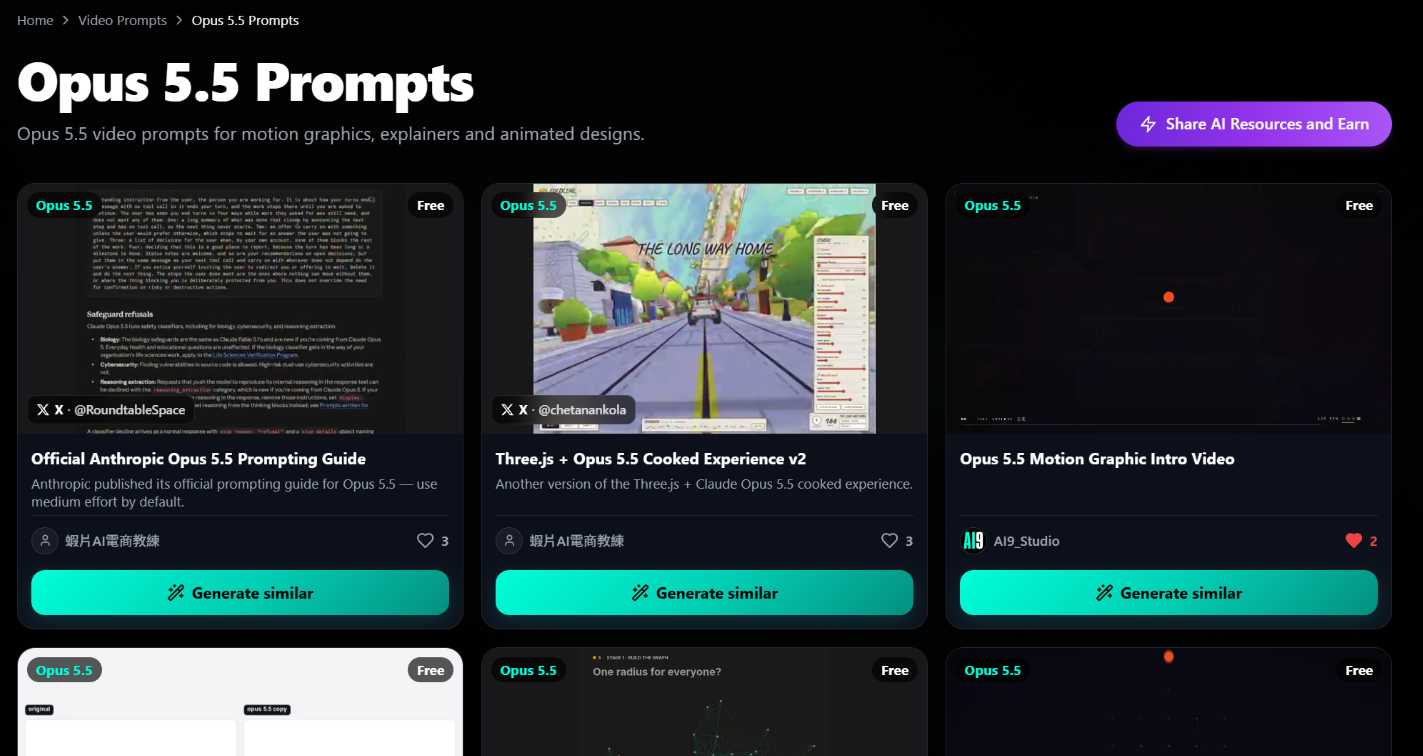
The simple path discussed below does not require a VPN and does not need a subscription first.
In dynamic images and AI videos, what does Claude Opus 5.5 refer to?
On X, Claude Opus 5.5, Opus 5.5, and similar terms usually refer to a set of practices for dynamic images and video prompts: you ask the model to act as a dynamic director, first delivering the structure (storyboard, timing, visual language), and then producing runnable animation programs or a feasible AI video editing plan when needed. This framework is crucial.
You are not claiming that a conversational model will 'shoot' Hollywood scenes by itself. You are directing a system that compresses creative decisions: rhythm, text dynamics, interface transformations, and colour fluctuations can all yield prompts that can be modified later.
Treat every good Opus 5.5 prompt as 'a creative brief with teeth and constraints', not as a vague wish. For Chinese creators, there is also a translation issue that is easily overlooked.
A showreel is not 'just making a nice-looking clip', but proving craftsmanship in a very short time. Motion graphics in this article are referred to as dynamic images: focusing on design, text, interface, and graphic motion, not necessarily realistic photography.
Video prompts are the director's instructions you give to the model, determining whether the AI video will be just pretty but without a mission.
How to make the Opus 5.5 prompt stronger
Before copying someone else's viral line, lock in four decisions. These four decisions will impact the final piece more than adjectives.
1. Duration — 15 seconds, 30 seconds, 40 seconds, are three completely different story pressures. 15 seconds can only leave one memory point; 40 seconds must have chapters, otherwise the audience will scroll away in the middle.
2. Aspect Ratio — 16:9 is suitable for release pages and horizontal portfolios; 9:16 is suitable for Reels, Shorts, and TikTok-style vertical edits. If the ratio is not specified, the main text is often cut off.
3. The work this video needs to accomplish — resume as showreel, product proof, pixel loop, or voiceover edited into a short video with subtitles. Only one main task is allowed at a time.
4. Hard Constraints — brand colours, no fake logos, no text that looks like watermarks, only real materials. The model loves to express itself freely here, so it should be written as prohibitions, not hopes.
Write these four points into the first paragraph of the Opus 5.5 prompt. The softer the presentation, the more the model will improvise. Those who deliver consistently speak very specifically: "15 second motion graphics showreel", "professional SaaS product launch", "single file, independently operable HTML Canvas", "clean edits with subtitles."
A useful prompt framework
A reliable structure usually looks like this:
· Role — "You are a senior motion graphics designer, tasked with delivering a final piece that the client can understand."
· Outcome — What should the audience believe or feel at the last frame?
· Beat sheet — 3 to 5 timed visual beats.
· Visual system — Font character, colour palette, camera language, easing. Don't just write "high-end".
· Assets — Real product images, logos, or "please generate an independently operable Canvas piece."
· Sound — Energy of the music, sound effect placements, subtitle style (if needed).
· Stop rules — Clearly state what should not be invented.
The exploration phase can start short and then be extended. Many public posts begin with a bold statement in the first round, and only add brand constraints in the second round. This is not laziness; it separates "direction" from "specifications" to avoid a first draft that is long and empty. You can first frame the skeleton into a video prompt like this, then replace the brackets according to the project:
You are a senior motion designer. Please create a (15 seconds), (16:9) motion graphic. The main task is only one: (prove rhythm and transitions with your portfolio). The last frame should leave a lasting impression (name or product name). Beats: 0–3 seconds cold open; 3–8 seconds showcase of skills; 8–12 seconds converge to a memory point; 12–15 seconds freeze the name and hold for 1 second. Visuals: limited to (two brand colours), transitions should only use (whip pan, morph, match cut) among two of them. Assets: only use the footage I provide, no inventing interfaces, no fake logos, no watermark-style text. Sound: music energy (medium-high), beats aligned with transitions. First provide the beat sheet, then the method.
What each section of this framework is doing
The role statement is not a formality. By calling the model a senior motion designer, it is less likely to respond with prose and more likely to respond with executable visuals.
Putting duration and ratio in the same sentence is to give the subsequent beats a container. The main task only leaves one empty space in brackets to avoid you getting tempted to write a second goal.
The four segments of beats correspond to memory, not an average cake slice. 0–3 seconds are responsible for making people stop; 3–8 seconds prove you can do more than just an opening; 8–12 seconds condense the information into one point; 12–15 seconds keep the name on screen.
If you place the name in the first second, the subsequent skills become background music, and the audience won't remember who you are. "Limited to two brand colours" and "transitions should only use two of them" help lighten the load for the 15 seconds.
If there are too many colours and transitions, the final piece will resemble a showreel collection rather than a single piece. The asset statement and stop rules should be written together: only use the footage I provide, while also prohibiting the invention of interfaces, fake logos, and watermark-style text.
Simply writing "use real assets" without prohibitions may still lead the model to add a fake logo it thinks is professional. Write the energy for sound first, without specifying the song title.
If you specify a copyrighted song, it will get stuck later; writing "medium-high energy, beats aligned with transitions" still provides direction during editing or generation. Finally, requiring the beat sheet first and then the method locks the first round into structure.
If the beat sheet is incorrect, do not let it start describing light and shadow. This is not a magic sentence; it simply completes the decisions.
In every future Opus 5.5 use case, you can grow from this framework rather than starting anew from "create a cool piece."
Pattern One: 15 Second Motion Graphic Showreel
Showreel is the most replicated Opus 5.5 use case on X, as it quickly proves craftsmanship. Presentations typically require a dynamic 15 second motion graphic: the text should move, transitions should be clean, and the composition should be bold, but a full brand manual is not necessary.
In public posts, @stephanlivera's direction is very similar to a resume-style dynamic showreel: short, confident, and can be directly added to a portfolio. A similar energy is also seen in @thismacapital and @gabrielbuzziv。
The task that the prompt needs to accomplish is actually the same: compress "I am a motion graphic person" into 15 seconds of visible evidence.
This pattern can be prompted like this
· Require a clear arc: a cold opening, followed by a showcase of skills, and finally a freeze on the logo or name.
· Write out transition vocabulary, such as whip pan, morph, match cut. Don't just write "make it cooler."
· Request that the last frame holds for about 1 second, allowing the name or brand to really land.
· If this is a personal portfolio, limit the number of colours, for example, 2 to 3 colours, to avoid changing visual systems four times in 15 seconds.
When needing opening lines and variations, there's no need to start from scratch. First, look at the organised AI9app Opus 5.5 prompt library, pick one that is close to a showreel, then change it to your name, industry, and exclusions. Modifying an existing structure is usually faster than pursuing an original catchy phrase.
Pattern Two: Dynamic Videos for SaaS Releases
The Opus 5.5 prompt for SaaS releases is results-oriented: features, benefits, trust signals, not abstract art. There are two particularly good contrasting examples in public.
@moritzkremb shares a method for professional SaaS product release dynamic videos, focusing on real materials: actual interfaces, the appearance of the product itself, and dynamic brand safety, rather than screenshots invented by the model.@pbteja1998 similarly captures the prompt for SaaS product release videos: problem, product, proof, call to action, then wrap it in dynamic graphics.
SaaS releases can be written into prompts like this
· Enforce "only use the product materials and screenshots I provide."
· Limit statements: feature names must be approved by you, and the model is not allowed to invent data, user numbers, or awards.
· Align the beats with the funnel: problem, solution, social proof, CTA.
· Prioritise interface transformations and cursor arrangements, and do less 3D decoration unrelated to the product.
· Each shot should only discuss one feature. Stuffing three features into 15 to 30 seconds means the audience won't remember any.
This is a high return on investment Opus 5.5 use case for founders: the same release video can be used on landing pages, Product Hunt, and LinkedIn. Once the prompts are running smoothly, the next feature release only needs to change materials and that approved benefit point, without rewriting the entire visual.
A modifiable SaaS framework can start like this: "This is a 20-second, 16:9 product launch dynamic image. The main task is to prove (an approved benefit point). From 0–4 seconds, only present the problem, do not show the product; from 4–12 seconds, only use the real interface I attached, with the cursor indicating (an action); from 12–17 seconds, use a sentence I provided as proof, do not rewrite the data; from 17–20 seconds, the CTA freezes. No fake logos, fake reviews, or fake numbers are allowed."
If you want to show these 20 seconds to a colleague, you don't necessarily have to start with the visuals; you can start with this timing chart. The seconds in the chart are examples, not formulas; if your feature requires longer operation, extend the middle section instead of cramming four features into the same beat.
|
Seconds |
Screen |
Things the audience needs to understand |
Not allowed to appear |
|
0–4 seconds |
Problem scenario, no product yet |
Where is the current pain? |
Product interface, logo animation |
|
4–12 seconds |
Only play the real interface you attached, with the cursor performing an action |
How the product solves that pain |
Fake buttons drawn by the model |
|
12–17 seconds |
A sentence you have approved, or a proof screen you provided |
Why it is worth believing |
New data, new awards, rewritten slogans |
|
17–20 seconds |
CTA freezes, stays until the end |
What is the next step? |
Second CTA, discount fluff |
After the chart, write the complete Opus 5.5 prompt. Those who reverse the order often only realise at the 8th second that they actually have two main tasks.
Strategy three: Research the product first, then create the product-oriented Showreel
Product-oriented videos have the energy of a showreel, but with an added layer of research discipline.@ann_nnngThe emphasised workflow is a 15-second dynamic showreel focused on the product, and first research the product page, then write the prompts.
The order cannot be reversed. If you invent the product story first, the dynamic can be beautiful, but the feeling will be wrong.
@itisRazakPush "research first" one step further: first look at Distilbook, then create approximately 40 seconds of dynamic imagery. As the duration extends, the pressure of the story increases.
You need chapter transitions, recurring visual themes, and a reason for viewers to keep watching. 40 seconds is not just a slow-motion of 15 seconds, but rather a structure that allows for revisiting.
Research how to write into prompts
· Paste the product positioning sentence and approved slogans into the presentation, do not ask the model to "help me think of a catchier slogan." If the slogan needs to change, that is a human decision.
· Please have the model read the product summary first, then propose the timing chart. Do not let it start decorating until it has passed the timing chart.
· First lock in the main benefit point, save decoration for later.
· If the source page has statements you do not adopt, write them into the stop rules to prevent the model from picking up old copy.
Treat research as part of the Opus 5.5 prompt, not as a footnote. The video prompts will sharpen under the constraints of real copy. What you provide are the words the product has already said to the market; the model is responsible for timing and visuals, not for reinventing the company.
Strategy four: HTML, Canvas, and pixel interaction
Not every AI video task requires a rendered timeline. Sometimes the deliverable is an animation that can run on its own: HTML Canvas, pixel loops, generative doodles, which can stand alone in a portfolio or browser.
@majidmanzarpour Shared a memorable example: a single file, standalone HTML Canvas pixel art wizard animation. The prompt requires the program to run on its own, the characters to move, and the craftsmanship to have a playful touch.
There is also another creative temperament:@songkeys What is being explored is origami and doodle-style human process animations, leaning towards illustration and concept, which are also very suitable for sharing.
Program-first dynamics can be constrained like this.
· If you want to take it with you, require "a single HTML file, no external dependencies."
· Pixel art needs to specify Canvas size, frame rate, and colour count. If the colour count is too loose, the pixel feel will turn into a regular gradient.
· Please leave comments in the program so you can change the timing without having to rerun the entire prompt every time you change it by 0.2 seconds.
· Specify whether it loops or plays once. Small animations on portfolio webpages usually need to loop seamlessly; narrative shorts should not loop.
This approach expands the meaning of "dynamic images" in the Opus 5.5 workflow: it can be not only exportable MP4s but also living interactive works. For creators with an engineering background, this is often more intuitive than working with timelines, as you are changing parameters, not keyframes.
Approach five: short video editing and narrative AI videos.
Adding two more types makes the creator's toolbox more complete. You can also include a short community capability video to contrast the differences between "explaining the product" and "making a memorable statement."
Voiceovers cut into concise short videos. @sab8a Demonstrating how to cut voiceovers into powerful versions: subtitles, graphics, and music are all included. The Opus 5.5 prompt here is an editing director's brief, specifying cut points, subtitle style, lower third, music energy, and graphic emphasis on key phrases. You are not asking the model to "make it look good," you are specifying which sentence must be seen.
Vertical short animation. @jackfriks Sharing a 9:16, sound-enabled short animation that uses pig character assets and letter-style narration. It illustrates one thing: narrative beats combined with character assets can become vertical AI videos. Start with scene cards, then discuss visual sparks, so the story is not overshadowed by effects.
Community capability short video. @davidmarcus Shared a modern, concise community video to frame Lightspark's capabilities: the messaging is tight, the dynamic language is contemporary, and the rhythm is also platform-native. The focus of this type of Opus 5.5 use case is not to explain the entire product, but to ensure that a capability can still be grasped while scrolling through the dynamics.
Short video prompts can include these three points.
· Specify the platform: 9:16, safe margins, subtitle size. If the subtitles of a vertical video are bottom-aligned, they will be blocked by the platform interface.
· Specify the timing rules for subtitles and which words to emphasise. Emphasised words should not be in every sentence.
· For narrative types, list scene cards first, then allow for visual expression. Scene cards should summarise in one sentence "what the audience needs to know in this scene."
A voiceover editing prompt can be very specific: "Cut this voiceover into 30 seconds, 9:16. Every 2 to 4 seconds a cut point. Use the verbatim script I provide for subtitles, no summarising or rewriting allowed. Only add graphics to the three sentences I mark as key points. The lower third should only show the name once. Music energy should be moderate, not overpowering the speech. No new facts allowed."
Iterative loop: please take it directly for use.
Those who treat Opus 5.5 like a slot machine get noise. Those who treat it like a junior dynamic manager get output speed. The difference is usually not the model, but that you only change one thing each round.
5. First Round — Focus only on structure and rhythm. If the beat chart is wrong, don’t talk about the font.
6. Second Round — Brand colours, font temperament, and whether the materials are authentic. Fake interfaces need to be identified in this round.
7. Third Round — Sound, subtitles, and the duration of the ending CTA.
Change only one variable each round.
Store winning video prompts in your own library. If you want to take a shortcut, open the public Opus 5.5 prompt library, choose a pattern that aligns with your work and modify it.
The value of the library is not to replace your judgment, but to ensure the first round doesn’t start from a blank page. If you will be submitting in a team, it’s recommended to leave three lines of record each round: what was changed this round, where the final piece is still fake, and what cannot be changed in the next round.
Iterations without records often ruin the rhythm that was corrected in the first round.
How to maintain clarity when patterns are mixed together
Advanced users often mix patterns in the same presentation. A SaaS release can start with the momentum of a showreel for the first 3 seconds, then delve into interface transformations, and finally conclude with a community-style CTA card.
Mixing still requires a clear primary Opus 5.5 use case at the forefront, otherwise the model will average the two works into a mush. When mixing, write priorities in the Opus 5.5 prompt: "Primary task: proof of product release. Secondary flavour: only the first 3 seconds can use dynamic text from the showreel." If there is a secondary flavour but no primary task, the video prompt will drift into pretty nonsense.
Write priorities honestly, use real materials, and when your dynamic images go to X or the landing page, it should still be evident that there is intent. Another practical check: read the prompt to colleagues who haven’t seen the product, only read the main task sentence.
If they cannot rephrase what this video is supposed to prove in their own words, it hasn’t been mixed well; it’s just stacking adjectives.
Modify from the prompt library to create your first version
Assuming you are in Hong Kong, the next video is not an abstract exercise, but an accounting tool for freelancers. The following is just a hypothetical for teaching purposes, not a case from any specific company, and does not reference non-existent posts.
The goal is to show you: the prompt library is responsible for structure, you are responsible for facts.
8. Open Opus 5.5 prompt library, first select SaaS release, do not select showreel. The job of this video is to prove a function, not to prove you can do transitions.
9. Write the duration as 20 seconds first, aspect ratio 16:9, because you need to place it on the landing page. If you also need a Reels, open another prompt for 9:16, do not write "both ratios are needed" in the same one.
10. Leave only one main benefit statement that you truly dare to put on the website, such as "turn receipts into exportable monthly statements." Do not let the model change it into a louder promise that you haven’t fulfilled. If the slogan hasn’t been approved yet, stop, do not generate.
11. The materials section should list what you actually have: a dashboard, a segment of "add receipt" operation, two colour codes for brand colours. If there are no visuals, write "none, no substitutions allowed."
12. The first round only retrieves the beat chart. Compare it with the four-column chart above to see if it presents the product within the first 4 seconds.
If it does, return it, do not enter aesthetics.
13. The second round only supplements the font quality and stopping rules. The third round only discusses musical energy and CTA retention. If it is still not right after three rounds, it is usually because the main benefit point itself is unclear, not because the adjectives in the Opus 5.5 prompt are insufficient.
This assumption also explains why the simple path in Hong Kong emphasises starting from the library. You do not need to solve the toolchain first; you need to solve "what this AI video is actually proving" first.
If you cannot write the proving sentence, dynamic images will only help you amplify the ambiguity.
Which decisions should not be left to the model
The model is suitable for compressing rhythm, proposing transitions, and timing beats in seconds. The following decisions, once handed over, often only explode in the final product.
· What can be said — Function names, numbers, client names, awards, all to be provided by you. The model can format, but cannot create facts.
· Brand colour codes — Write colour codes, do not write "blue series". The blue series will turn into different blues in each round.
· Whose logo can appear — The default is only yours. If the partner does not have written permission, write it into the prohibited items.
· Should subtitles be verbatim — For voiceover types, write "no summarising". Once summarising starts, the meaning will drift.
· Can music use copyrighted song titles — Write prompts for energy and re-beats, you choose the playlist.
· The original text of the last frame's CTA — Even short phrases like "try now" or "view portfolio" are to be determined by you, to avoid the model adding a line you would not actually put on the website.
You can compile this list into the "stopping rules" section at the end of the Opus 5.5 prompt. The more the stopping rules resemble a contract, the more stable the video prompts will be. It is not about mistrusting the model, but not outsourcing the legal and brand responsibilities.
Proportions, safe zones, subtitles: write these three numbers into the prompts first
Short videos failing often is not a style issue, but because the numbers were not written. For a 9:16 video, do not let the main title touch the edge.
You can write directly: leave 12% to 15% at the top and bottom for the platform interface, and do not let the subtitles touch the lowest row. For 16:9 release videos, it is the opposite; people will watch on a computer, the main title can be larger, but there should still be white space on the sides to avoid cropping when the landing page is embedded into a field.
The second number for subtitles is retention. If a Chinese subtitle is shorter than 1 second, native readers will feel chased; if longer than 4 seconds, it will feel like a presentation is stuck.
Writing a range in the video prompts is more useful than writing "subtitles should be clear". Emphasised words can appear a maximum of three times in each video, and they must be words you have marked, not words the model thinks are powerful.
The third number is the ending retention. The name of the showreel, the CTA of the SaaS, the last sentence of a short piece, all deserve to write "retain for 1 second" or "stay until the end of the video".
Videos without retention often get covered by the next one at the same frame that appears in X's autoplay at the memory point. This is not metaphysics; it is you writing the platform's viewing method into constraints in the Opus 5.5 use case.
These three numbers can be added to any routine without needing to start a new style. The craft of dynamic images lies in transitions; whether AI videos can be watched to completion often depends on safe zones and subtitles.
If you write both things into the same prompt, you won't have to wait until after export to find out that the text is blocked by buttons on the phone.
Common mistakes that weaken the Opus 5.5 prompt
· Only vague adjectives left — "epic, cinematic, stunning", but without rhythm.
· Inventing product interfaces — SaaS releases look fake at first glance.
· Not writing proportions — Vertical platforms will crop your main title.
· No stopping rules — Random logos and watermark-like text will pop up.
· One round must be perfect — Skip three rounds, then waste the whole afternoon.
· Wrote two main tasks — Had to showcase the portfolio and explain three functions, but ended up finishing neither.
· Let the model rewrite without copy approval — Once a benefit point is rewritten, legal and branding will only discover it after the final product.
Fixing these usually improves quality more than changing tools. Tools will change, but the teeth of the presentation will not go out of date. If you only change the model and not the prompts, you are mostly just running the same soft presentation again.
Easily generate in Hong Kong using AI9app — no need for VPN, no need for subscription (simple path)
If you are in Hong Kong and want a simpler way to get started, AI9app is prepared for this path. You can first look at the ready-made Opus 5.5 dynamic image and video prompt patterns in the prompt library, then generate, without having to struggle with regional restrictions first.
For points that Hong Kong users often care about, the simple path is as follows:
· In Hong Kong — This simple path is designed to be opened locally, without having to move the workflow to another network environment.
· No need for VPN — Try the method described below, without needing to connect to a VPN just to start.
· No need for subscription — The simple path does not require locking into a heavy paid tool first. You can start from the prompt library and generation process.
Enter from here:https://ai9app.io/video-prompts/opus-5-5Choose one from showreel, SaaS, product, Canvas or short video, replace it with your brand constraints, and run the first round. If you later see marketplace-style resources on AI9app, treat them as optional add-ons; for most creators, the real leverage is still a clearly written Opus 5.5 prompt in that library.
This simple path in Hong Kong can yield five steps, without adding drama:
14. Open the prompt library, first select a usage scenario that matches your next video, do not save ten first.
15. Copy the one that is closest, only change the duration, ratio, and main task.
16. Paste the real material description or approved copy. Do not proceed to the second round without material for the product video.
17. Run the first round, only evaluate the rhythm, not the aesthetics.
18. Lock in colours and stopping rules only in the second round. Whether to subscribe or purchase additional resources should be left until this test video is truly useful.
The benefits of doing this are very specific: you can know today whether the problem lies in the prompts or the materials. Many people get stuck because the presentation is not finished, not due to regional or account issues.
Checklist before pressing generate
· The first sentence has already stated the duration and ratio.
· Clearly state an Opus 5.5 use case: showreel, release, product, Canvas, editing or story.
· Materials have names, or clearly request "standalone programs."
· Brand colours and prohibitions are all listed.
· Short videos have stated expectations for sound and subtitles.
· Requested the final frame's CTA, or name freeze.
· You can restate in one sentence what this video is meant to prove. If you can't restate it, don't generate yet.
Templates copied from X, or templates selected from the AI9app prompt library, should all be checked against this list. The list is more stable than inspiration. Inspiration is responsible for the first sentence, while the list ensures you won't discover the proportions are wrong at the 12-second mark.
How to choose from five usage scenarios
When there are many patterns, people tend to want to try a bit of each. The Opus 5.5 prompt written that way lacks a main task. First, use the questions below to select one Opus 5.5 use case, and only then open the prompt library.
· If the next video is to be placed on a personal website or resume, and you don't have a product interface to explain: choose a 15-second showreel.
· If you have a real interface and only want to demonstrate one function: choose SaaS release, around 20 seconds long, with an aspect ratio of 16:9.
· If you haven't even written down "what this product does in one sentence": start with research patterns, do not generate. Before research is written into the prompt, motion graphics will only help you obscure vagueness.
· If the deliverable needs to be placed in a browser and you want it to open as a single HTML file: choose Canvas or pixel loop, do not request MP4 first.
· If you already have voiceover or character materials, but lack editing and subtitles: choose short video editing or vertical stories, with an aspect ratio of 9:16.
If you can't decide, it's usually because you want to complete two tasks at once. Split them into two video prompts, each running their first round separately. Mix and match only after both are clear, and still write priorities.
In the first round, only look at four things
Generating is cheap, watching is expensive. In the first round, do not use "is it good or not" as a standard; good looks will make you forgive a wrong main task. Four things are enough.
19. Is the main task still there? Ask another person to only look at the beat chart and rephrase in one sentence what this video is supposed to prove. If the rephrased sentence is different from your original, send it back.
20. Are there any invented materials? If there are buttons, ratings, numbers, or collaboration logos that you did not provide, the entire round is void, do not change the colours on it.
21. Do the total seconds equal the duration? If the four segments add up to 28 seconds, but you wrote 15 seconds, the subsequent refinement is meaningless.
22. Does the last frame linger? If it does not linger, add it before the second round, do not wait until the sound is fully laid out to discover the name flashes by.
Only after all four items have passed can you move on to brand colours, fonts, and music. This order applies to showreels, SaaS, product research, Canvas, and short videos. It is also the acceptance method you should save together when you later store your winning prompts back in your private library.
Chinese-English comparison: do not lose meaning when writing prompts.
Chinese creators are most likely to soften the task when translating. The following is not a vocabulary test; it is what you can refer to when writing Opus 5.5 prompts. The left column contains common English terms in communities and tools, the middle column contains the traditional expressions used in this article, and the right column suggests sentences to write directly into the prompts.
|
English |
Traditional expression |
How to write into prompts |
|
motion graphics |
motion graphics |
Write "motion graphics" and add duration and aspect ratio. |
|
AI video |
AI video |
Specify whether it is an editing plan, narrative short film, or an exportable final product. |
|
video prompt |
video prompt |
require the beat sheet first, then the method |
|
prompt |
prompt |
treat the Opus 5.5 prompt as a presentation, not a wish |
|
use case |
use case |
only label one Opus 5.5 use case at the beginning |
|
showreel |
showreel |
15 seconds, cold open, craft, name freeze |
|
beat sheet |
beat sheet |
3 to 5 beats, each beat has a duration |
|
aspect ratio |
aspect ratio |
16:9 or 9:16, do not write "either" |
|
safe margin |
safe margin |
leave 12% to 15% at the top and bottom for portrait |
|
kinetic type |
kinetic type |
specify which beat it appears in, do not have it moving the whole time |
|
morph |
morph transition |
as a type of transition vocabulary, do not use as a general style term |
|
match cut |
cutting shapes or actions together |
choose one between whip pan or use both, write the limit |
|
CTA |
call to action |
provide the original text and require it to stay at the end |
|
lower third |
lower third |
name appears only once, write the position |
|
subtitle |
subtitle |
the voiceover should say "no summarising", and write the stay range |
|
brand colour |
brand colour |
write the colour codes, limit to 2 to 3 colours |
|
stop rule |
stop rule |
use "no" to list items, do not use "try to avoid" |
|
asset |
asset |
list file names or write "none, no replacements" |
|
cursor choreography |
cursor choreography |
SaaS video used to indicate an action |
|
single HTML file |
single HTML file |
Canvas task plus "no external dependencies" |
|
frame rate |
frame rate |
pixel style should write numbers, e.g. 12 fps |
|
loop |
loop |
Web animations should be seamless loops, no story films |
|
9:16 |
portrait |
Reels, Shorts, TikTok style editing |
|
16:9 |
landscape |
landing page, portfolio, Product Hunt |
The usage of the reference table is simple: you see a sentence in English on X, first translate it into the constraints in the right column, then put it into your own prompt. Do not copy the entire English adjective verbatim and expect Claude Opus 5.5 to guess your brand. You can leave a bit of tone in the adjectives, but the constraints must be yours.
Five directly editable fields
The following is not another set of theories, but fields that can be pasted from the previous Opus 5.5 use case. The English in parentheses is what you would see on X; the constraints to be written into the Opus 5.5 prompt come after the colon. Please replace the parentheses with your name, product, and colour codes. Do not copy the teaching sentences along with the brand.
Field A | 15 second showreel
· Role: You are a senior motion designer, tasked with delivering a client-ready motion graphic.
· Duration: Lock it to 15 seconds, do not change it to 12 seconds, and do not change it to 20 seconds.
· Aspect ratio: 16:9, for the portfolio page, not portrait 9:16.
· Main job: Only create a showreel, demonstrating rhythm and transitions, do not explain product features.
· Outcome: The last frame should make the creator's name memorable, and hold for 1 second.
· Beat 1: 0 to 3 seconds is a cold open, black background, only showing 1 line of kinetic type.
· Beat 2: 3 to 8 seconds only showcases 2 types of transitions, whip pan and morph.
· Beat 3: 8 to 12 seconds should have 1 memorable point, brand colours limited to 2 to 3 colours.
· Beat 4: 12 to 15 seconds do a name lockup, stop at the end of the film, do not add new information.
· Assets: This does not have a product interface. No fake UI allowed, no fake logos.
· Audio: Medium to high energy, beats aligned with transitions, do not specify copyrighted song titles.
· Stop rule: No watermark-style text, no random brand collaborations, no subtitle walls.
· First round only submit: a beat chart, a total of 4 beats, the total seconds must equal 15 seconds.
· Second round only change: colour codes, font style, transition limits. Do not change the main job in the second round.
· Reference style: Resume-style dynamic showreel, short, confident, suitable for a portfolio. Not an advertisement.
Field B | SaaS Release
· Role: You are the motion designer for the product release video, not an art film director.
· Duration: 20 seconds. If the operation is longer, only extend the middle section, do not add features.
· Aspect ratio: 16:9, prepare for landing page, Product Hunt and LinkedIn.
· Main job: prove 1 approved benefit point, do not prove 3 features at the same time.
· Outcome: the audience knows what the next step CTA is, the original text is provided by me.
· Beat 1: from 0 to 4 seconds only present the problem, do not show the product, do not show logo animation.
· Beat 2: from 4 to 12 seconds only use the real interface I attached, with the cursor pointing to 1 action.
· Beat 3: from 12 to 17 seconds use the sentence I provided as proof, do not rewrite the numbers.
· Beat 4: from 17 to 20 seconds CTA freeze, hold until the end, do not have a second CTA.
· Assets: only list the screenshots and recordings I provided. For missing visuals write "none, no supplements allowed."
· Audio: medium energy, do not cover the text on the interface, re-shoot to match the action completion.
· Stop rule: no fake reviews, no fake user numbers, no fake awards, no fake buttons.
· Copy: if the slogan is not approved, stop generating. The model cannot help you write it louder.
· First round only submit: a four-column table, with fields for seconds, visuals, what the audience needs to understand, and what must not appear.
· Funnel order: problem, solution, proof, CTA. If the order is wrong, it will be returned, do not change colours.
Column C | Product video that is researched before made
· Role: you are first a researcher, then a motion designer.
· Duration: for product-oriented showreel use 15 seconds first. For research-type long videos use 40 seconds.
· Aspect ratio: the 15-second version uses 16:9. The 40-second version should still lock at 16:9, do not show vertical at the same time.
· Main job: turn what has already been said on the product page into visible beats, do not create new stories.
· Input: paste the positioning sentence, approved slogan, and any old phrases you are not using.
· Order: read the summary first, then submit the beat table. No decorations allowed before passing the beat table.
· 15-second version beats: from 0 to 3 seconds main benefit point, from 3 to 10 seconds one piece of evidence, from 10 to 15 seconds slogan freeze.
· 40-second version beats: one chapter every 8 to 10 seconds, at least 4 chapters, with recurring visual themes.
· 40 seconds is not: slow down the 15 seconds. If there is no reason for chapters, revert to 15 seconds.
· Assets: only use the visuals you named on the product page. No supplementing features from model memory.
· Stop rule: no rewriting slogans, do not retrieve sentences you have marked as not used.
· Audio: 15-second version has medium-high energy. 40-second version has medium energy, avoid a continuous climax.
· First round only submit: one sentence reiterating the main benefit point, plus the beat table. If the two sentences do not match, stop.
· Reference approach: first study the product page and then provide prompts, rather than creating attractive animations and then looking for a story.
Field D | HTML Canvas and Pixels
· Role: you are a designer writing single-file animations, and the deliverable is an executable program, not a script.
· Format: a single HTML file, with no external dependencies, that can run directly when opened in a browser.
· Canvas: width 480, height 270. For pixel art, specify the number of colours, such as 8 colours or 16 colours.
· Frame rate: pixel art should be 12 fps. General animations can be 30 fps, do not omit.
· Loop: small animations in the portfolio should loop seamlessly. Narrative shorts should play once, without looping.
· Main job: characters or graphics should have readable actions, not a static illustration with filters.
· Comments: time parameters should have comments, allowing someone to change 0.2 seconds without rerunning the entire prompt.
· Pixel constraints: loosening the colour count will result in gradients. Specify the number of colours and prohibit realistic lighting.
· Concept animation: if following a paper folding or doodle aesthetic, first write 3 visual themes, then write the movement, do not pile on effects first.
· Stop rule: no calling external image URLs, no requesting installation of packages, no fake brands.
· Audio: default is silent. If sound is required, only specify energy, do not specify song titles.
· First round deliverables: file structure, canvas size, frame rate, and whether it loops. Confirm it can run independently before adding features.
· This is not an MP4 task: do not request both a final export and a single-file program in the same submission.
Field E | Short Video Editing and Vertical Stories
· Role: you are the editing director. For voiceover types, do not rewrite facts. For story types, do not skip scene cards.
· Aspect ratio: 9:16. Leave a safe margin of 12% to 15% at the top and bottom, and do not place subtitles at the bottom.
· Voiceover duration: for a 30-second version, cut approximately every 2 to 4 seconds.
· Voiceover subtitles: use the verbatim script I provide, do not summarise. Each pause should not be shorter than 1 second and not longer than 4 seconds.
· Emphasised words: a maximum of 3 instances, and they must be words I have marked, not words the model thinks are impactful.
· Lower third: names should only appear once, specify the position, do not attach names to every sentence.
· Voiceover sound: music energy should be moderate, do not overpower the speech. Graphic emphasis should only be on the sentences I have marked.
· Voiceover stop: no adding facts, no adding client names, no changing colloquialisms into advertising slogans.
· Story duration: for vertical shorts, first write the total seconds, such as 20 seconds or 30 seconds, then break it down into scenes.
· Scene card: for each scene, write in one sentence "what the audience needs to know", at least 4 scenes, prior to visuals.
· Character assets: only use the characters and props I provide. No new characters are allowed.
· Story sound: sound effects can be specified, such as paper, footsteps, notification sounds. Do not specify copyrighted songs.
· Ending pause: The last sentence or CTA should pause until the end. If there is no pause, it is not considered complete.
· Community capability clip: If the main task is to make people remember one capability, do not explain the entire product, keep the duration within 15 seconds.
· First round submission: Only submit cut points or session cards. If the ratio is wrong or the safe zone is not written, return them first.
The usage of the five fields is the same: only post one at a time, replace it with your facts, and run the first round. If you want to write fewer field names, go to Opus 5.5 prompt library Select ready-made prompts for the same usage scenario, and use this field to check if you missed the duration, ratio, main task, and stop rules.
Weak sentence comparison: For the same thing, how to write it counts.
The left column shows statements that seem very forceful but actually have no constraints. The right column is the way to write that can be included in Opus 5.5 prompt. When you modify your prompts, first find the left column, then change it to the right column, do not just add adjectives.
|
Weak writing |
Change to executable writing |
|
Create a cool dynamic segment |
15 seconds, 16:9 showreel, the main task only proves the rhythm. |
|
Cinematic, epic, stunning |
Remove adjectives, rewrite in 4 beats: 0–3, 3–8, 8–12, 12–15 seconds. |
|
Make the transitions a bit more glamorous. |
Only whip pan and morph are allowed, no third type of transition. |
|
Use a more sophisticated font. |
Specify font size and 2 to 3 brand colours, rather than just 'sophisticated'. |
|
Make the ending cooler. |
Name lockup should pause for 1 second, pausing until the end. |
|
Create a SaaS advertisement. |
20 seconds, 16:9, only proving 1 approved benefit point. |
|
The interface should just look good. |
Only use the screenshots I provide, no drawing fake buttons. |
|
Mention a few more features. |
Show 1 feature per shot. Do not exceed 1 main feature within 20 seconds. |
|
Add a bit of user testimony. |
No fake reviews allowed. If there is no material, do not shoot this. |
|
Make the data look nicer. |
No inventing user numbers, awards, or growth percentages. |
|
Write the CTA as you see fit. |
The original text for the CTA will be provided by me, such as 'View portfolio' or 'Try now'. |
|
Come up with a catchier phrase for the product. |
Stop if the slogan is not approved. The model is not allowed to rewrite commitments. |
|
Create the visuals first, then research. |
First post the positioning sentence, then submit the beat sheet, only decorate after passing. |
|
40 seconds is more sincere. |
40 seconds should have 4 chapters. If there are no chapters, revert to 15 seconds. |
|
Slow down the 15 seconds. |
Slow motion is not structure. Long films should have repeated visual themes. |
|
Reference competitors and let loose. |
Write unused old sayings into the stop rule, no picking them back up. |
|
Create a very beautiful web animation. |
Single HTML file, no external dependencies, specify width, height, and fps. |
|
Make it a bit cuter in pixel style. |
Write the number of colours, such as 8 colours or 16 colours, and prohibit realistic lighting and shadows |
|
A loop looks better |
The small animations in the portfolio should loop. The feature film plays once |
|
Also export as MP4 |
Separate the programming tasks and the final product tasks into two prompts |
|
Edit with a sense of the web |
9:16, cut every 2 to 4 seconds, safe margins 12% to 15% |
|
Subtitles should be automatically simplified |
Voiceovers must not summarise, the transcript will be provided by me |
|
Emphasise the key points in each sentence |
Emphasised words can be a maximum of 3 places, and I need to mark them in advance |
|
Make the music a bit explosive |
The background music for voiceovers should be of medium energy, not overpowering the speech |
|
Mention the name a few more times |
The lower third should only appear once, specify the position |
|
You can write the story as you see fit |
First submit at least 4 scene cards, each with a sentence of 'What the audience needs to know' |
|
Add more characters if there aren't enough |
Only use the characters and props I provide, no new characters allowed |
|
Create one version in portrait and one in landscape |
Each prompt should lock in only 1 aspect ratio |
|
Complete both goals together |
Keep only 1 Opus 5.5 use case for the main work, open another for the other |
|
A secondary style is fine |
Write the priorities: what is the main work, secondary flavour is only allowed in the first 3 seconds |
|
Make it a bit bluer, a bit more technological |
Write the colour codes. Each round of blue will turn into a different blue |
|
Try not to add logos randomly |
Change to prohibitive. Try to avoid being non-binding |
|
Submit the final draft in one round |
In the first round, only look at the rhythm, in the second round look at colour and materials, in the third round look at sound |
|
If it looks good, it's fine |
In the first round, do not use 'good looking' as a standard. First reiterate the main work |
|
The timing should be roughly right |
The total of each shot must equal the duration, for example, 15 seconds or 20 seconds |
|
In Hong Kong, you need to use a VPN to test first |
The simple path does not require a VPN, nor does it require prior subscription, start from the prompt library |
|
First subscribe to a set of heavy tools before writing prompts |
Finish writing the Opus 5.5 prompt first. The toolchain is not the bottleneck of the first round |
|
Create a golden sentence from a blank page |
Open the prompt library, choose the same usage scenario, then change your facts |
|
You cannot generate without purchasing marketplace resources |
The marketplace is an optional add-on. Leverage is still a clearly written prompt |
|
Paste the English viral sentence as it is |
First translate into duration, ratio, rhythm, and stopping rules, then generate |
Generate after checking the table. If the sentence in your left column is still in the prompts, the right column has not been written in yet, running another round will not be more accurate.
This week only practice three pieces, do not practice five types at once
The goal of practice is not to gather routines, but to ensure that an Opus 5.5 prompt actually produces a video. Three pieces are enough, and each piece should only change one variable.
· Practice 1: 15 seconds showreel, 16:9, 4 beats, final name lockup stays for 1 second. No product interface.
· Practice 2: 20 seconds SaaS release, only use 1 real screenshot, write the CTA yourself, no fake numbers.
· Practice 3: 30 seconds 9:16 voiceover edit, no summarising the script, only keep 3 emphasis words, safe margins 12% to 15%.
· All three come from Opus 5.5 prompt library select the same usage scenario, do not write temperament adjectives from scratch.
· Each one only runs 3 rounds: first round beats, second round colour coding and materials, third round sound and pauses.
· All three have passed, then consider a 40 seconds research clip, Canvas single file, or vertical story. Before that, do not mix aspect ratios.
· If you are in Hong Kong, take the simple path: no need for VPN, no need for subscription, first complete these three video prompts.
After finishing the three, look back at the posts on X. You will find it easier to see showreels like Stephan Livera, real materials like Moritz Kremb, voiceover edits like Sab8a, each adhering to which constraint, rather than just remembering the visuals are smooth.
For the next one, only change 1 fact. Do not change the duration, do not change the aspect ratio, keep the stop rule for now.
Today, stack up the prompts.
Save Opus 5.5 prompt library store it, select three that match the pattern of your next round of posts, and submit a 15 seconds test clip this week. The creators linked above did not wait for the tools to be perfect before starting; they wrote the brief clearly.
Your next motion graphic or AI video can follow the same manual. If you can only do one thing, do this: choose a main task, write down 15 seconds or the actual duration you need, add the ratio and three stop rules, then run the first round.
Do not open five patterns at the same time. The manual is meant to be used one page at a time, not to perform the entire table of contents at once.
Conclusion
A good Opus 5.5 prompt is a creative brief with teeth: duration, ratio, results, materials, stop rules. The highest leveraged practices on X—showreels, SaaS releases, product-oriented showreels researched first, HTML and Canvas, and short video edits—are all reusable Opus 5.5 use cases as long as you see the structure beneath the excitement.
Look at Stephan Livera, Majid Manzarpour, Moritz Kremb, Sab8a, Jack Friks, and other posts referenced above; change their intent, not just the adjectives. Whether you are refining your portfolio or releasing a SaaS feature, the practice of Claude Opus 5.5 with dynamic and video prompts rewards clarity.
For creators in Hong Kong who want to take the simple path—locally accessible, no need for VPN, no need for subscription at the start—open the AI9app prompt library, choose a pattern, and then iterate. Motion graphics used to mean spending several days on the timeline.
If video prompts have discipline, they can turn into several rounds of smart revisions in an afternoon, plus a piece that can actually be released.