
Clawdbot Tutorial | Stop Just Chatting with AI! Learn to Use Clawdbot to Create a 24/7 Automated Personal Assistant
Have you ever thought: "If only I had an AI that could act like a real secretary, proactively message me, and even handle tasks while I sleep, how wonderful would that be?"
Today, we're introducing the recently popular open-source tool "Clawdbot" in tech circles. Simply put, it's not just a chatbot; it's an "agent" that lives on your computer or server. You can connect it to your LINE (via workaround), Telegram, or WhatsApp, allowing it to truly integrate into your work and life.
This article will guide you from scratch, including Clawdbot tutorial installation steps, super practical Clawdbot application scenarios, and essential Clawdbot usage precautions. Ready? Let's begin!
Article Contents:
What is Clawdbot?
Clawdbot Tutorial: Installation Guide from Scratch
Clawdbot Applications
Clawdbot Usage Precautions
Frequently Asked Questions FAQ
What is Clawdbot? Why is it Different?
Before diving into the tutorial, let's briefly explain why it's become so popular.
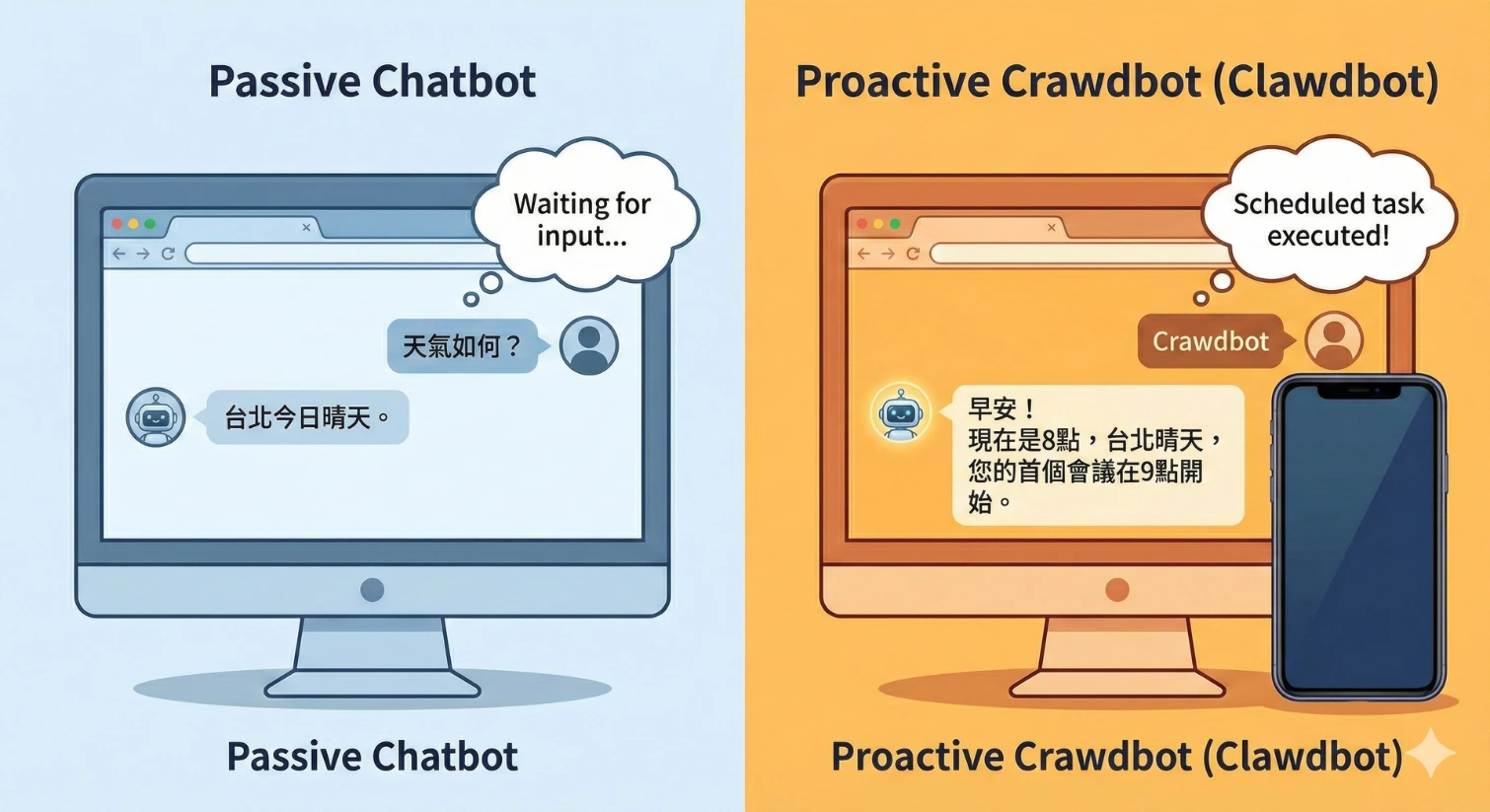
Regular ChatGPT is like an encyclopedia trapped in a browser—it can't access your files, nor can it proactively contact you. But Clawdbot is "Local-First".
It has memory: It remembers what you said last week and even your preference settings, without needing you to reintroduce yourself each time.
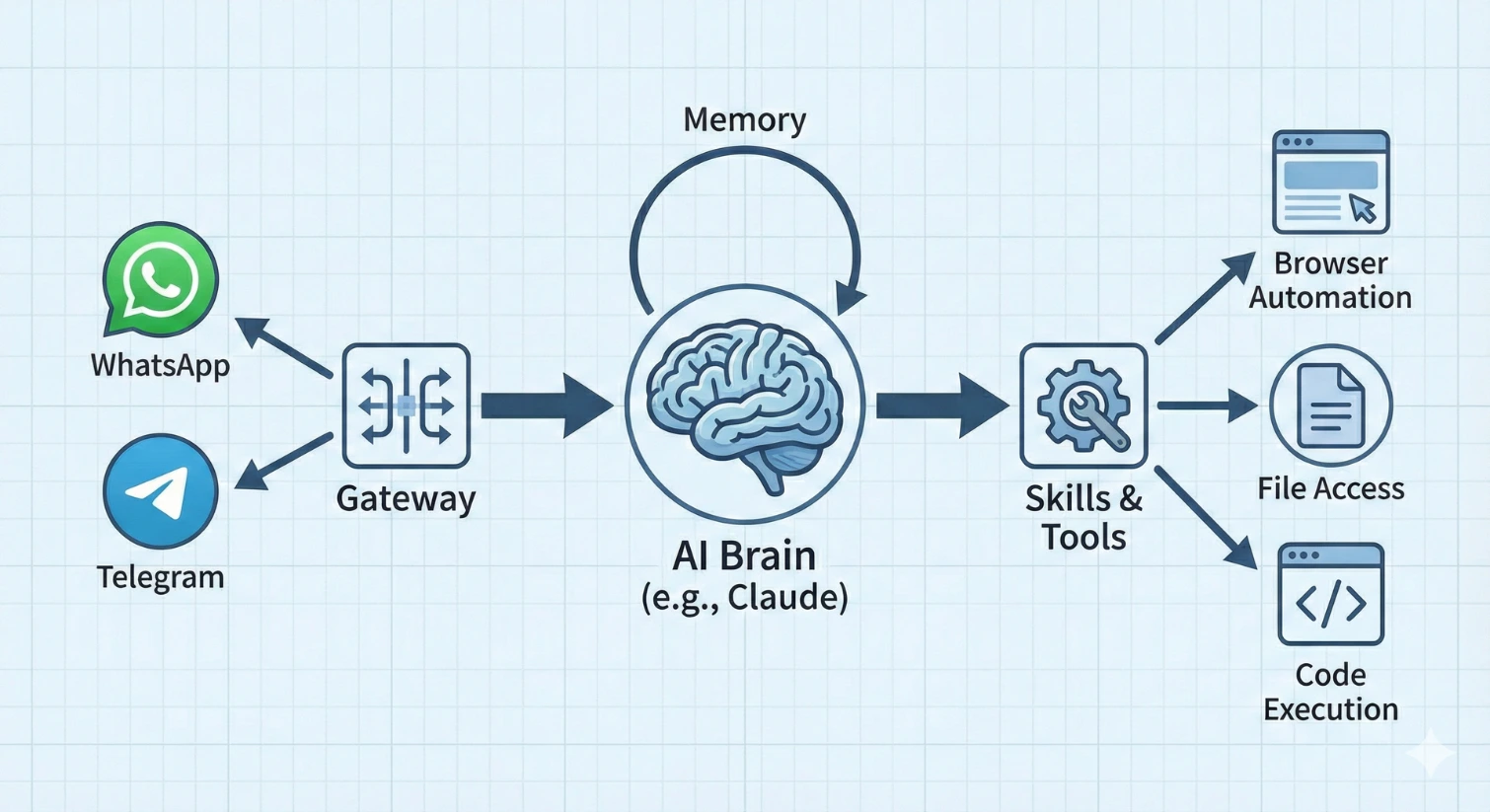
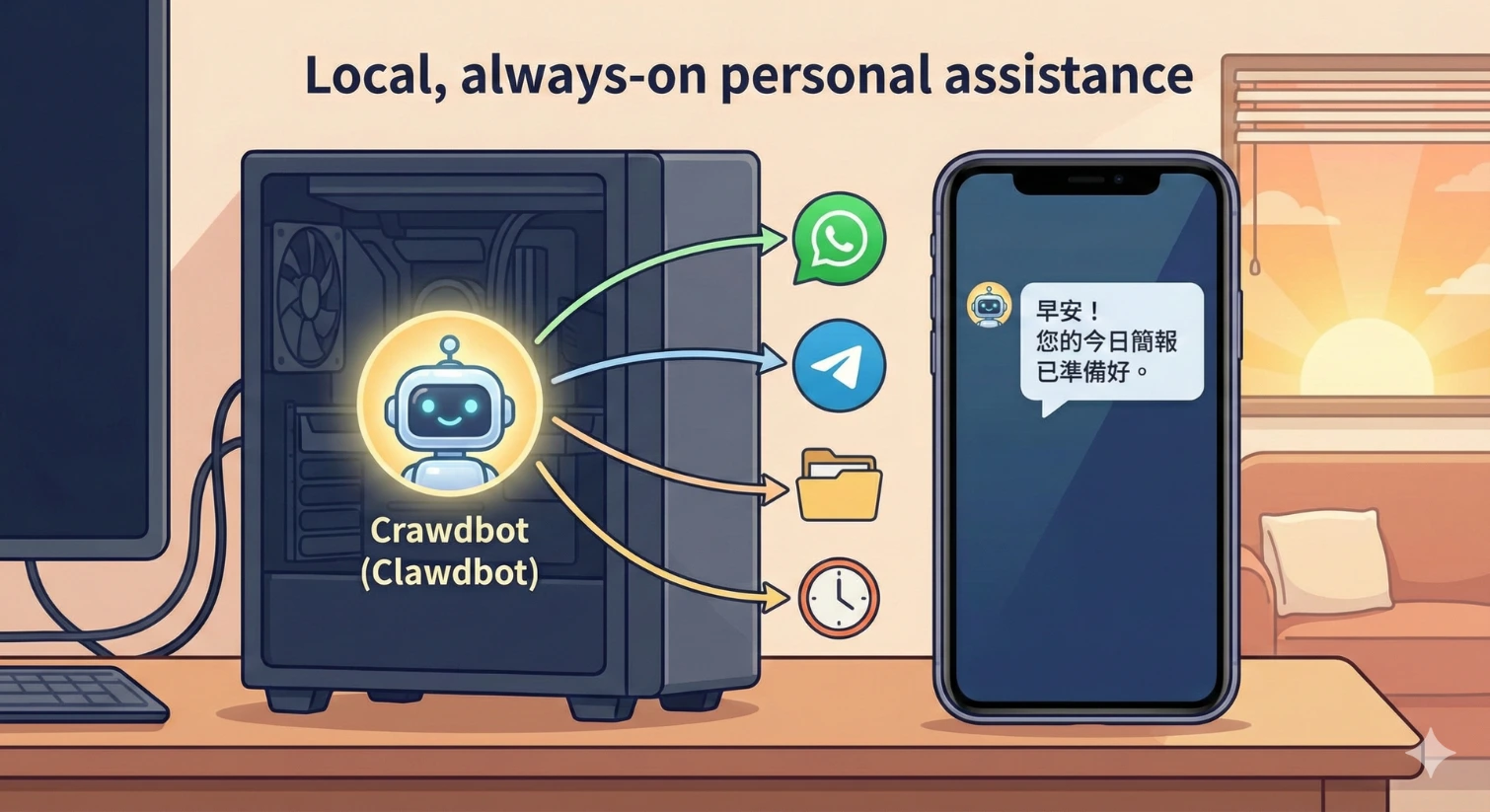
It proactively contacts you: You can set it to automatically send you your daily schedule and AI news at 8 AM every day, without you having to ask.
It lives on your turf: It runs on your computer (like Mac Mini) or your cloud server (VPS), keeping your data in your own hands.
It can "take action": It's not just for chatting; it can read your files, help you write code, and even automate browsers to check prices for you.
Blog Writer Recruitment
Clawdbot Tutorial: Installation Guide from Scratch
Many people are intimidated when they hear "setting up a server," but don't worry, it actually only takes 15-30 minutes to complete. If you can use a bit of Terminal, this is a piece of cake for you.
Preparation
You need to prepare one of the following two things:
A computer: Preferably a Mac Mini or Linux machine, because we want to keep it running 24 hours a day. If you're just testing, you can use your existing laptop.
Or a cloud server (VPS): I recommend Hetzner or other affordable VPS options, around $5 per month, so you don't have to worry about home power outages or internet disconnections.
Step 1: Environment Check
First, confirm that your computer has Node.js installed (version v22 or above required). Open your terminal and enter:
Bash
node --version
If you see a version lower than v22, remember to update it from the official website first.
Step 2: One-Click Install Clawdbot
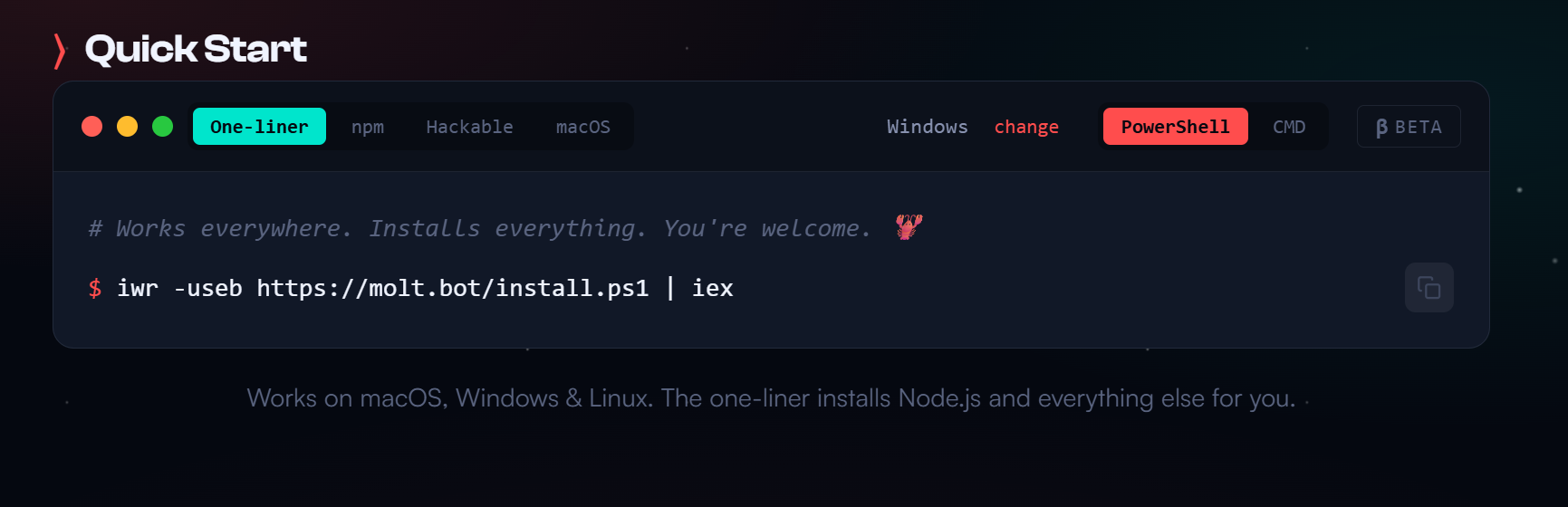
Clawdbot's developers are very kind, providing a one-click installation script. Paste this command in your terminal:
Bash
curl -fsSL https://clawd.bot/install.sh | bash
Step 3: Launch the Setup Wizard (Onboarding)
After installation, enter the following command for initial setup:
Bash
clawdbot onboard --install-daemon
At this point, the system will ask you a few questions, as simple as filling out a survey:
Gateway Mode: Choose Local.
Authentication: I recommend using Anthropic API Key (because Claude is currently a bit stronger than GPT at handling complex logic, though you can also choose OpenAI). You need to go to the Anthropic official website to apply for a Key and paste it.
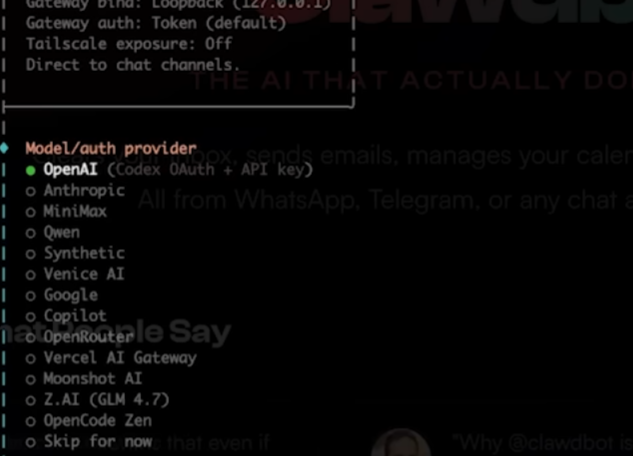
Model: I recommend choosing claude-opus-4-5 or sonnet, there's a difference in intelligence level.
Channels: This is the highlight! You need to choose where this AI will talk to you. I highly recommend Telegram or WhatsApp.
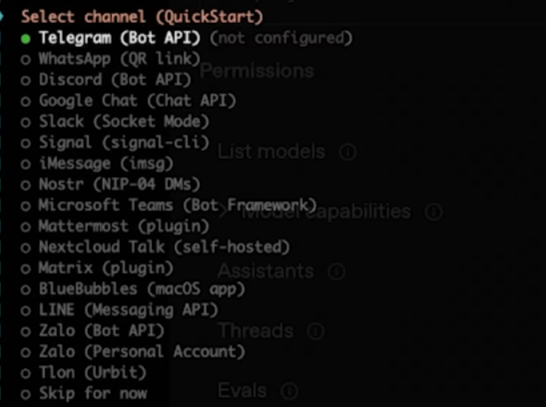
Step 4: Connect Your Messaging App
Assuming you chose WhatsApp (one of the most painless choices):
Enter clawdbot channels login in your terminal.
A QR Code will appear on the screen, just like logging into WhatsApp Web—scan it with your phone.
Done! Your AI is now in your contact list.
If you choose Telegram, you need to first go to Telegram and find @BotFather to apply for a bot Token, then fill it into the configuration file.
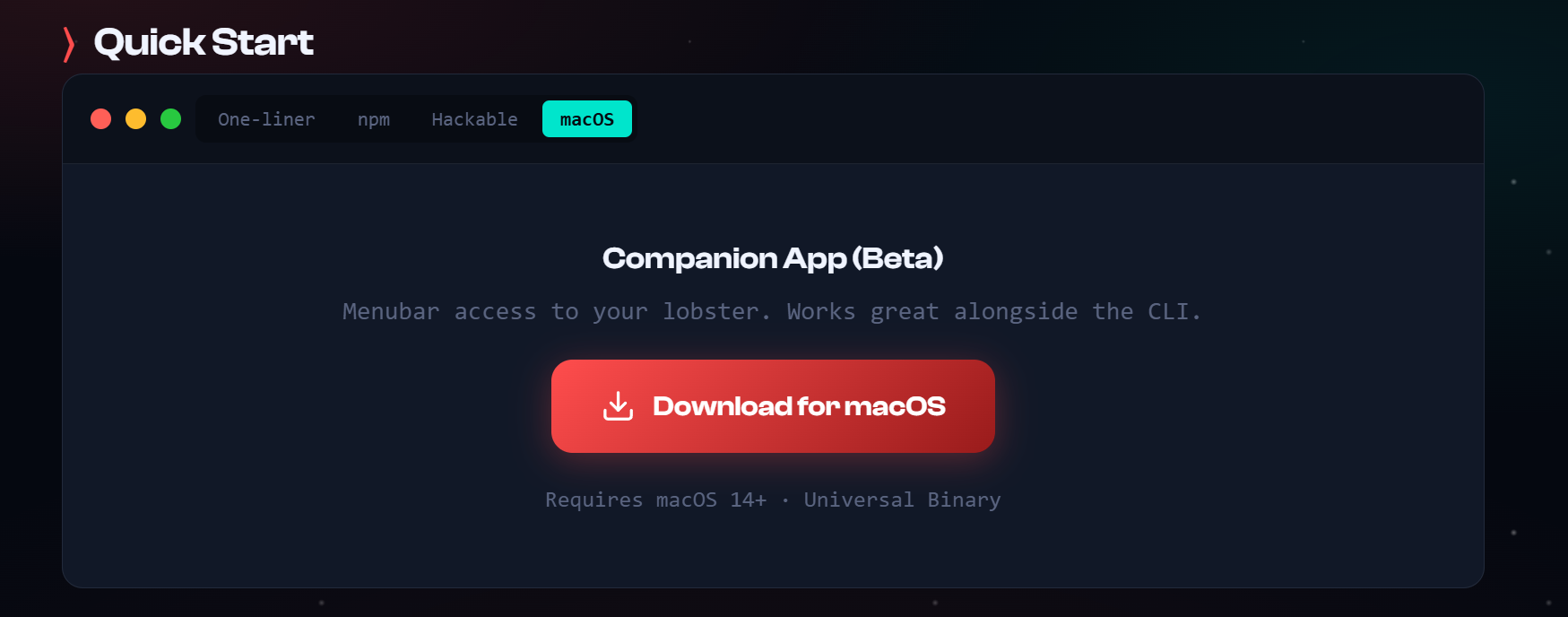
Official website download: https://clawd.bot/
Github Guide:
https://github.com/clawdbot/clawdbot
Landing Page Production Service
Using AI technology to quickly produce Landing Pages and integrate various promotional and integration needs. Combined with AI automation processes to efficiently reduce manual processing costs.
Contact to Learn More Learn More
Click the image to preview DEMO


Clawdbot Applications: What Can It Really Help Me Do?
After installation, you might be staring at the chat window thinking: "What now?" Don't worry, this is where the fun begins. Here are some Clawdbot application scenarios I've personally tested and found most useful:
1. Your Personal "Morning Briefing" (Morning Briefing)
This is my most frequently used function. You can set up a scheduled task (Cron Job) to let it execute automatically every morning.
You can tell it this:
I hope you send me a briefing every day at 8 AM. The content should include: today's calendar schedule, if you can find the latest 3 major AI news online, and Taipei's weather. Please keep it readable within 5 minutes.
Result: Every day when you open your eyes, you don't need to open Email, don't need to open weather App, don't need to browse news—Clawdbot will directly send you well-organized information to your Line/Telegram. It will remember this is your habit and execute it on time every day.
2. A "Shopping List" You'll Never Lose
This sounds basic, but because Clawdbot has "Persistent Memory," it's much more useful than a regular memo app.
You can say this:
Add milk, eggs, and toilet paper to the shopping list.
Next time you go to PX Mart or Costco, just send a message saying "What's on the list?" and it will instantly reply. The best part is, because it's integrated into your messaging app, this is more intuitive than opening any To-Do List App.
3. Help You Write Code and Self-Repair
If you're an engineer or learning to program, this feature will blow your mind. You can ask it to write a simple web function.
You can say this:
Help me write a to-do list that can run with React, with add and delete functions.
It won't just give you the code—because it has your system permissions, it can even directly create the files for you. If an error occurs during execution, it will read the error message (Error Log), then self-correct the code until it runs properly. This is what's called "Self-healing" capability.
4. 24-Hour Price Monitor
For those doing online sales or wanting to grab cheap flight tickets, Clawdbot can be your surveillance eye. You can set it to scrape prices from a certain website every hour (through its browser automation skills), and if the price falls below a certain amount, it will immediately send you a message. This is smarter than traditional web scraping programs because it can "understand" changes in webpage content.
Our Services

AI Automation Workflow Production Service

Website/Online Store/APP Development

AI Model/Virtual Character Creation

AI Advertising Production

AI Marketing Services
Free AI Learning Resources
Clawdbot Usage Precautions: Safety First!
Although Clawdbot is powerful enough to get you excited, as someone who's been through this, I must very seriously remind you of a few Clawdbot usage precautions. Because it's not like ChatGPT trapped in a cage, it's a lobster (Clawdbot's mascot) freely roaming in your computer, and giving it too much authority can be dangerous.
1. Permission Management Must Be Cautious (Shell Access Risks)
Clawdbot is set by default to execute terminal commands. This means that if you (or a hacker who has controlled your bot) command rm -rf /, all your files could be gone.
Recommendation: Never run Clawdbot with Root permissions.
Recommendation: For sensitive operations, set up a "Human-in-the-loop" review mechanism, meaning it must send you a message asking "Should I execute?" before deleting or modifying files, and only proceed after you approve.
2. API Key Protection
Because Clawdbot is self-hosted, your Anthropic or OpenAI API Key is stored in local configuration files (.env or JSON files).
Important: Never upload your configuration files to public GitHub! This is like hanging your house keys on your front door. After hackers scan and find your Key, they'll use it like crazy, and your next month's bill will be spectacular.
3. Messaging App Account Ban Risks (Account Bans)
This is very important! Especially WhatsApp. WhatsApp monitors "automated behavior" very strictly. If you let Clawdbot send a large number of messages in a short time, or harass strangers, your number can easily be permanently banned.
Recommendation: Don't use your personal main number for testing. Get a prepaid card, or use Telegram—Telegram is much more bot-friendly.
4. Avoid Handling Cryptocurrency Wallets
Although Clawdbot is very smart, never let it access your cryptocurrency private keys (Private Keys) or seed phrases. Even if you think it's "read-only," as long as it has permission, there's a risk of leakage. The security community has a saying: "Don't let AI touch your money."

AI Special Effects Video Advertising

AI Overseas Market Expansion

AAICG/3D Design
AI Video Translation | Lip Sync Support

3D Modeling and Special Effects Services

AI Training/Courses
Frequently Asked Questions FAQ
This section is text content for readers to read directly.
Q1: Is Clawdbot free? The software itself is open source and free (MIT license). However, running it involves two small costs:
API fees: You need to pay Anthropic (Claude) or OpenAI for model usage, pay as you go (typically less than $5 per month for light users).
Server fees: If you rent a VPS (like Hetzner) to run 24/7, it's about $5 per month. If you run it on your own computer, it's just electricity cost.
Q2: Can I install Clawdbot on a Windows computer? Can it be installed directly? No. But through WSL2 (Windows Subsystem for Linux) it can! Clawdbot natively supports macOS and Linux. Windows users must first enable WSL2 to install Ubuntu environment, then the subsequent steps are as simple as Linux.
Q3: Is giving Shell permissions to AI dangerous? This depends on how you configure it. Clawdbot's power lies in its ability to operate systems, but this is also where the risk lies.
Recommendation: Don't run with Root permissions, set sensitive commands to require "Human-in-the-loop" review, and absolutely never let it access your cryptocurrency private keys or bank passwords.
Q4: What's the difference between Clawdbot and regular ChatGPT? The biggest difference is "proactivity" and "memory." ChatGPT is passive—you don't ask, it doesn't answer, and once the window closes, it easily loses the current context. Clawdbot is a 24/7 running agent, it has long-term memory, and can proactively send you messages based on time (like 8 AM) or events.
Conclusion: This is a Digital Butler Worth Investing In
After reading this Clawdbot tutorial, you might be thinking: "Wow, it seems a bit complicated, I have to type commands?"
But I have to say, this is the most "futuristic" AI experience I've used. When you first receive a proactive morning greeting from Clawdbot, or when it silently handles your chores, that feeling of "this is what tech life should be" is incomparable.
It's not perfect, it needs a bit of patience to set up, but it belongs to you, completely obeys you.
If you're someone who likes trying new things, spend 15 minutes tonight and try following the steps above! Maybe you'll discover that what you're missing is not a more powerful AI, but a Clawdbot that can truly "take action" for you.
If you have any installation issues or discover any super cool new ways to use it, feel free to leave a comment below and share with me! Wishing everyone success in catching this powerful lobster! 🦞
Author Bio (Author Bio)
About the Author: 99AIcreator
Hi! I'm 99AIcreator, a consultant focused on AI training and application implementation.
In this era of exploding AI tools, my mission is to help individuals and SMEs (small and medium enterprises) overcome technical barriers and successfully implement AI transformation. I not only teach you how to "chat," but also how to integrate AI into actual workflows to improve real productivity. If you enjoyed this practical tutorial about Clawdbot, please follow me to get more first-hand AI application insights!
Reference materials for this article include Peerlist guides, DEV Community developer documentation, and related security reports.
*The reference numbers are for reference only, and the actual situation may vary.