
Seedance 2.0 教學 如何使用,可以取代真人拍片了嗎?
After learning how to generate images with Midjourney and write scripts with ChatGPT, many beginner creators face a major challenge: "What should I do about the visuals for my video? Do I really need to rent a studio and hire actors?" Or, after gathering a bunch of materials, they don't know how to turn them into smooth animated videos.
Today, we're introducing a heavyweight tool that's been making waves in the AI community—Seedance 2.0. This next-generation AI video generation model, developed by ByteDance (the parent company of TikTok), is being called the "Sora killer." It not only animates still photos but can also generate synchronized audio and dialogue!
This article will provide an in-depth look at what Seedance 2.0 is, guide you step-by-step on how to use its core features, and address the most practical question: Can it really replace filming with real people?
Table of Contents:
Seedance 2.0 教學
How to Use Seedance 2.0
Can Seedance 2.0 Really Replace Filming with Real People?
How Can AI Video Companies Implement This? Advice for SMEs
Seedance 2.0 Common Questions FAQ
Seedance 2.0 教學
In 2025, we've seen OpenAI's Sora and experimented with Kling and Runway, but the arrival of Seedance 2.0 feels like it has packaged all the strengths of these tools together, plus added a bunch of features we've been dreaming of.
Simply put, Seedance 2.0 is a multimodal AI video generation model. What does that mean? Previously, we used AI primarily for "text-to-video"; but Seedance 2.0 allows you to simultaneously input text, images, and even existing video and audio, then "fuse" these elements into a brand-new 2K high-definition video.
According to the latest test data, its generation speed is 30% faster than previous versions, and most impressively, it has solved the biggest pain point of AI videos—sound.
Website/AI-Powered Website Development Services
Using AI technology to quickly create Landing Pages and integrate various promotional needs, combined with AI automation procedures to efficiently reduce manual processing costs
Contact to Learn More Learn More
Click image to preview DEMO


Seedance 2.0's Four Killer Features
Before we dive into the tutorial, you need to know where it excels, so you understand how to use it to save time and money in your work.
1. Native Audio Synchronization: Say Goodbye to the Silent Film Era
This is the biggest upgrade! Previously, AI-generated videos were silent, and you had to separately find AI-generated music and then use editing software to sync the lip movements—super tedious. Seedance 2.0 can generate audio and dialogue simultaneously while generating visuals.
Environmental Sounds: If the scene shows glass breaking, you'll hear the crisp shattering sound.
Lip-Sync: If you input dialogue, the character's lip movements will precisely follow the audio—it's practically a divine skill for those making short dramas or ads.
2. Multi-Shot Storytelling and Consistency (Multi-Shot Consistency)
Anyone who has worked on AI videos knows how frustrating "character collapse" can be. One second the protagonist has blonde hair, the next second it's brown. Seedance 2.0 introduces powerful "multi-shot storytelling" functionality. You can describe multiple shots at once (for example: close-up of the protagonist's face, then camera pulls back to show full body), and the AI will automatically connect these shots while maintaining consistency in the protagonist's appearance, clothing, and scene lighting. This makes it more than just a material generation toy—it's a tool that can truly "tell stories."
3. 2K Cinema-Grade Quality
Most AI videos are stuck at 1080p or even 720p—they look blurry when enlarged. Seedance 2.0 supports native 2K resolution. For those who need to play videos on large screens or seek refined quality for brand advertising, this is an absolute must-have.
4. Ultimate Control: Multimodal Input
This point may be more technical, but it's very important. You can use the @ tagging system to specify materials.
Specify an image as a "character reference."
Specify a video clip as a "camera movement reference."
Specify a piece of music as a 'rhythm reference'.
Seedance 2.0 will assemble these elements like building blocks, giving you a high level of control, rather than relying on luck like a blind box.
Our Services
AI Automation Workflow Services

Website/Online Store/APP Development
How to Use Seedance 2.0
Now you must be eager to know where to use it and how? Currently, Seedance 2.0 is mainly integrated into ByteDance's creative platform Dreamina (i.e. Dream) and can be used through API services (such as APIYI or Volcengine).
Below, we will use the Dreamina platform as an example to teach you a practical workflow: 'Turning static product photos into eye-catching advertisements'.
Step 1: Prepare Materials and Log In
Enter the Dreamina platform, select the 'Video Generation' feature, and ensure the model selected is Seedance 2.0.
Prepare a high-quality photo of your product (e.g. a bottle of perfume or a pair of trainers).
Step 2: Use 'Image-to-Video'
This feature is a godsend for beginners. Don't start from scratch with the prompt, just upload your product photo.
Upload Image: Click to upload in the input box, setting this image as the 'First Frame' or reference image.
Write the Prompt: This is key. You need to tell the AI how to move.
Incorrect Example: 'A bottle of perfume.' (Too simple, the AI doesn't know what to do)
Correct Example: 'Cinematic shot, camera slowly orbiting around the perfume bottle, soft golden lighting, elegant smoke effects in the background. High resolution, 2k.' (Film quality, camera slowly orbiting the perfume bottle, soft golden light, elegant smoke effects in the background).
Step 3: Add Sound
In the settings, remember to enable 'Audio Generation'.
You can describe the sound atmosphere you want, for example: 'Soft jazz music, crystal clear sound effect.'
Advanced Technique: Multi-Camera Connection (The Pro Move)
If you want to create a narrative short film:
Prepare 3-5 photos of the main character from different angles.
In the prompt, describe the continuous actions: 'Shot 1: The main character walking in the rain; Shot 2: Close-up of the main character looking up at the neon lights.'
Use the Reference Image feature to lock in the main character's face.
Seedance 2.0 will automatically generate these two segments and stitch them together, without you needing to piece them together in editing software.
Can Seedance 2.0 really replace live-action filming?
As a consultant who has helped dozens of small and medium-sized enterprises with AI transformation, I must answer this question honestly. The answer is: 'Partially replace, but not completely replace yet.'
What can it replace? (Sweet Spot)
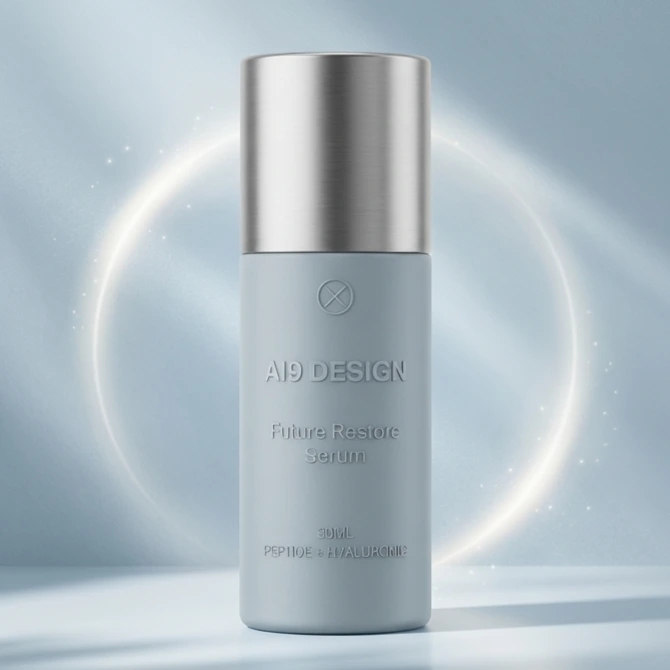
E-commerce product display (B-Roll): This is the strongest battlefield for Seedance 2.0. In the past, to shoot a scene of a perfume spinning in water, you needed a high-speed camera, a lighting technician, and to make the studio all wet. Now? One photo + Seedance 2.0, and the effect scores 90 points. For e-commerce that requires a large amount of material, this is revolutionary.
Social media short videos and atmospheric films: The 'atmospheric' empty shots, landscapes, or abstract background animations needed for IG Reels or TikTok are done more beautifully by Seedance 2.0 than by real people.
Storyboard preview (Pre-visualization): For directors or advertising companies, using it to create dynamic storyboards (Animatic) is simply a magical tool. You can quickly show clients 'this is roughly how it looks', greatly reducing communication costs.
What can it not replace? (The Gap)
Delicate emotional performances and long dialogues: Although Seedance 2.0 has lip-syncing capabilities, the complexity of human micro-expressions (the flow of the eyes, awkward smiles, breakdowns) is still a bit 'mechanical' in AI's performance. If you want to shoot a touching drama, real actors are still indispensable.
Complex physical interactions: Although the physics engine has improved, when dealing with scenarios like 'two people fighting and grappling' or 'complex hand movements (like piano playing techniques)', AI still occasionally shows issues like clipping or finger deformation.
Absolute authenticity requirements: News documentaries and real witness interviews, which require 'real' endorsements, can actually lead to ethical and trust crises when generated by AI.
How can AI video enterprises be implemented? Suggestions for SMEs
More and more companies are using 'generative AI' technology, but many are facing the same dilemma between first-time use of AI technology and enjoying the advantages it brings: how to adjust the AI model to best fit the company's needs?
This is actually what I have been emphasizing: 'customization and workflow integration'.
Taking Seedance 2.0 as an example, SMEs should not treat it as a 'generative toy', but should embed it into your marketing SOP:
Build a brand asset library: First, use AI to train or fix your brand's 'virtual spokesperson' or 'product standard photos'.
Modular production: Use Seedance 2.0's API or batch functions to generate videos with different atmospheres for the same product photo for different holidays (Valentine's Day, Christmas).
Seamless integration: Do not use the generated videos directly; treat them as footage, put them into editing software like CapCut or Premiere, add your logo and promotional information, so that they can truly convert into orders.
AI is not meant to replace your marketing team, but to enable each member of your marketing team to become a 'film production team'. Seedance 2.0 is precisely the key that lowers the threshold to the minimum.
About the author
99AIcreator
AI application consultant | Focused on helping SMEs with AI digital transformation
Hello everyone, I am 99AIcreator. I am dedicated to transforming complex AI technologies into simple strategies that businesses can implement. From AI automated customer service to AI video/advertising production, I assist retail and service industry brands in integrating AI workflows to improve efficiency and reduce costs.
Contact Us / Get a Quote
Contact us on WhatsApp:  / Inquiry +852 59216804
Seedance 2.0 Frequently Asked Questions (FAQ)
Q: Is Seedance 2.0 free?
A: Seedance 2.0 currently adopts a 'freemium' model on most platforms (such as Dreamina). It usually provides daily free credits for trial use, but if you need to generate videos without watermarks, in 2K high definition, or longer duration, you will need to subscribe to a paid plan. Specific prices vary by platform; for example, generating a 10-second video using certain API services costs about $0.60.
Q: Does Seedance 2.0 support Chinese commands (Prompts)?
A: Yes, since Seedance 2.0 is developed by ByteDance, it has an excellent understanding of Chinese semantics, possibly even better than some Western models. It also supports multilingual input, so whether you write prompts in Chinese or English, you can achieve accurate results.
Q: What is the length limit for videos generated by Seedance 2.0?
A: The current version supports generating videos of 4 to 15 seconds in length at a time. However, through its 'Video Extension' feature, you can extend the video indefinitely while maintaining the coherence of scenes and characters.
Q: How can I obtain API access for Seedance 2.0?
A: The API for Seedance 2.0 is expected to be officially opened in late February 2026 through Volcano Engine and BytePlus. Developers can also connect through third-party aggregation platforms like APIYI, which usually allows for faster testing and deployment.
(The content of this article is based on the latest release information from February 2026. AI technology evolves rapidly, and specific features are subject to the latest official announcements.)